12 Leasing AI Performance Metrics to Track in 2026
Discover 12 Leasing AI Performance Metrics with formulas, pre-AI baselines, and 2026 benchmarks. Set baselines, track ROI, and improve conversion.

TL;DR
AI adoption in multifamily leasing jumped from 21% to 34% in a single year, but most operators still measure AI performance using the same old KPIs without adjusting for what AI actually changes. This article covers 12 leasing AI performance metrics with concrete formulas, pre-AI baselines, and post-AI benchmarks. The biggest wins come from leading indicators AI directly controls (response time, after-hours capture) rather than lagging outcomes like occupancy. Establish your baselines before deploying any tool, or you won’t be able to prove ROI.
Quick Answer: What Leasing AI Metrics Matter Most?
The most important leasing AI performance metrics in 2026 are:
- Lead response time
- Lead-to-lease conversion rate
- After-hours lead capture rate
- Tour-to-lease conversion rate
- AI automation rate
- Cost per lease
- Days to lease
The best AI leasing teams focus on leading indicators first, especially response speed and after-hours engagement, because these are the metrics AI can improve immediately. Most operators see measurable gains within 30 to 90 days when tracking the right benchmarks consistently.
Recommended 2026 AI Leasing Benchmarks
Metric | Strong Benchmark |
|---|---|
Lead response time | Under 60 seconds |
Lead-to-lease conversion | 15%–30% |
Tour-to-lease conversion | 55%+ |
After-hours capture | Near 100% |
AI automation rate | 60%–90% |
Occupancy rate | 95%–96% |
Renewal rate | 65%+ |
Why AI Changes Your Leasing Metrics
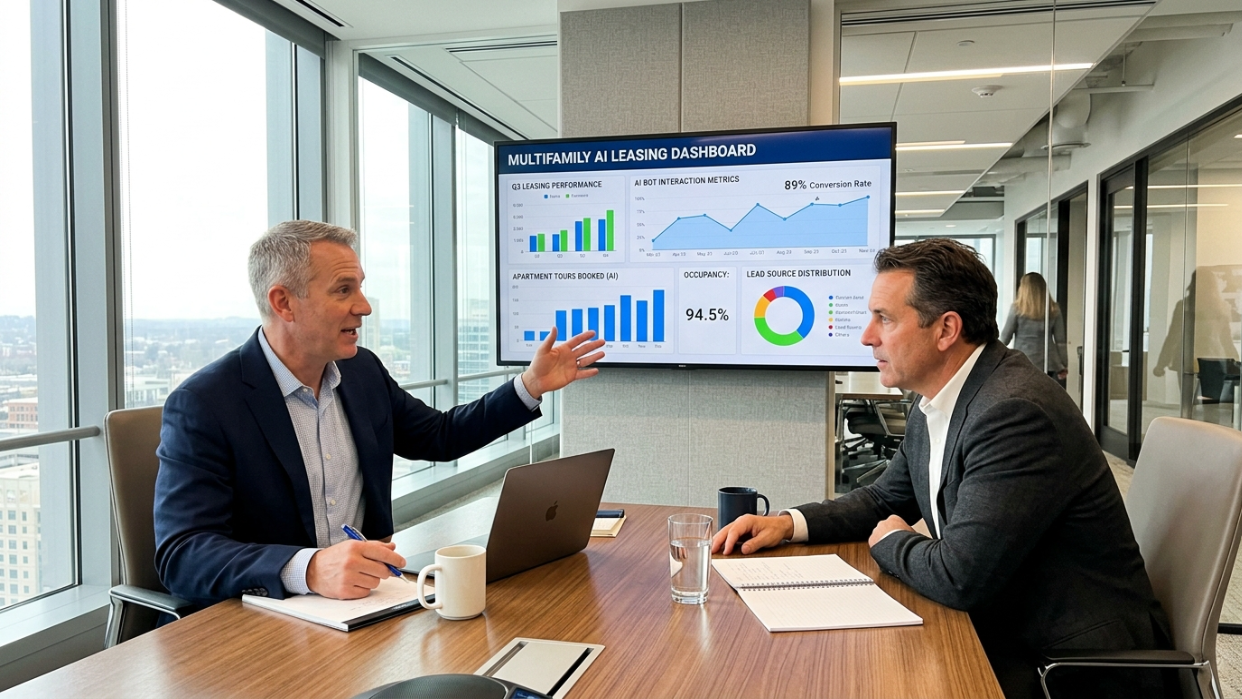
Here’s the uncomfortable truth: 99% of multifamily operators are either implementing or planning AI adoption, according to industry surveys. But 78% of respondents say they can’t yet rely on the AI features baked into their legacy property management software. That gap between adoption and reliability is where measurement becomes critical.
The 2025 AppFolio Benchmark Report found that AI usage jumped from 21% to 34% in just one year. AI adopters forecast 31% portfolio growth in 2026, compared to 12% for non-users. And 77% of multifamily executives confirm AI is already driving moderate to significant reductions in operating expenses.
Those numbers sound impressive. But they raise an obvious question: which leasing AI performance metrics should you actually track to verify those claims for your own portfolio?
The answer isn’t just “the same KPIs you always tracked.” AI shifts the benchmarks themselves. A lead response time of 30 minutes was respectable in 2022. Today, AI tools respond in under 60 seconds, and properties that don’t keep up lose prospects permanently. As ApartmentAdvisor’s benchmark report puts it, operators of every size are reevaluating their KPIs and resetting targets. Your success metrics have changed forever.
For a deeper breakdown of how to calculate ROI on these tools, see our leasing AI ROI formulas guide.
Before the measurement problem gets worse, there’s something to address. The Nurture Boss framework for evaluating AI distinguishes between external AI tools (judged by conversion, retention, and satisfaction) and internal AI tools (judged by adoption, time savings, and staff empowerment). Most operators conflate the two, which muddles their reporting. Keep that distinction in mind as you read through these 12 metrics.
What Makes AI Leasing Metrics Different?
Traditional leasing KPIs measure outcomes. AI leasing metrics measure both outcomes and automation efficiency.
Before AI, most leasing teams focused only on lagging indicators like occupancy rate and lease volume. AI changes that because leasing teams can now measure operational performance in real time.
For example:
Traditional KPI | AI-Era KPI Shift |
|---|---|
Occupancy rate | Response speed impacts occupancy |
Lead volume | Lead quality becomes critical |
Tours scheduled | Qualified tours matter more |
Leasing staffing | Automation coverage matters |
Marketing spend | Cost per automated conversion matters |
This distinction matters because AI can improve speed while hurting quality if workflows are configured poorly. The best operators track both conversion efficiency and qualification quality together.
At-a-Glance: Pre-AI vs. Post-AI Benchmark Comparison
Metric | Pre-AI Baseline | AI-Enabled Benchmark | Formula |
|---|---|---|---|
Lead Response Time | 6+ hrs (email) | <60 seconds | Avg. minutes from inquiry to first reply |
Lead-to-Lease Rate | 8.7% avg | 15–30% (top performers) | Leases ÷ Total leads × 100 |
Inquiry-to-Showing | 25% | 35%+ (with pre-qual) | Showings ÷ Inquiries × 100 |
Tour-to-Lease | 40–55% | 55%+ (better screening) | Leases ÷ Tours × 100 |
Days to Lease | 46 days avg | Reduced by automation | Avg. days vacant per unit |
Occupancy Rate | 90.6% (national) | 95–96% target | Occupied units ÷ Total units × 100 |
Cost Per Lease | $350–425 | Lower via automation | Total marketing spend ÷ Leases signed |
Renewal Rate | Varies widely | 65%+ target | Renewals ÷ Expiring leases × 100 |
After-Hours Capture | Near 0% | 100% (AI) | After-hours leads captured ÷ Total after-hours inquiries |
AI Automation Rate | 0% | 90% (best-in-class) | AI-handled convos ÷ Total convos × 100 |
Source Conversion | 7–46% range | Track per channel | Leases per source ÷ Leads per source × 100 |
Agent Time Saved | Baseline hours | 10+ hrs/week saved | Hours pre-AI minus hours post-AI |
One important caveat before the deep dives: there is no universal benchmark for many of these numbers, because teams don’t all define terms the same way. Some count anyone who fills out a form as a “lead.” Others count only qualified prospects. That difference alone can completely change your conversion rate. Step zero is standardizing your own definitions.
Explore leasing AI software options to see which tools support the metrics tracking described below.
1. Lead Response Time
Best for: Diagnosing whether your AI is actually working at the point of first contact.
What it measures: The time from when a prospect submits an inquiry to when they receive a first meaningful reply. Not an auto-acknowledgment, but a response that addresses their question.
Formula: Average minutes (or seconds) from inquiry timestamp to first substantive reply.
Pre-AI baseline: Live chat responses typically take 3 to 5 minutes. Email replies range from 10 minutes to 6 hours, depending on staffing. Phone calls go to voicemail outside business hours, which matters because 49% of all leads come in after hours.
AI-enabled benchmark: Modern AI inquiry systems respond within 60 seconds across phone, SMS, and email. Properties responding within 5 to 18 minutes capture twice as many conversions as those that don’t.
Why it matters now: Zillow data shows that 52% of callers, especially millennials and Gen Z renters, will never call again if you miss them the first time. On average, multifamily professionals miss 49% of all calls to their properties. That’s not a small leak. That’s half the funnel gone before it starts.
Red flags: Your AI reports sub-60-second response times, but your CRM shows leads going cold. This usually means the “response” is a generic auto-reply, not a meaningful answer. Check response quality alongside speed.
Practitioner insight: Discussions on Reddit stress that the biggest failure with AI leasing tools isn’t AI quality but bad workflow orchestration. Leads, communication logs, and system updates live in different places, creating manual handoffs that defeat the purpose of automation. If your AI responds instantly but the lead then sits in a queue for a human callback, you haven’t actually fixed the problem.
For more on how voice AI handles inbound leasing calls, see our voice AI leasing guide.
2. Lead-to-Lease Conversion Rate
Best for: The single most important diagnostic of your entire leasing funnel’s health.
What it measures: The percentage of leads that result in a signed lease.
Formula: Leases signed ÷ Total leads × 100
Pre-AI baseline: The average multifamily portfolio converts 8.7% of guest cards to signed leases, per MyResman data. Top-performing properties hit 16.5%, nearly double the average. Most multifamily professionals target somewhere between 15% and 30%, depending on how they define a “lead.”
AI-enabled benchmark: In surveys of property managers using AI tools, 56% reported moderate lead-to-lease uplift and 30% reported significant increases in conversion. The gains come from faster follow-up, better lead nurturing, and reduced drop-off between funnel stages.
Red flags: Conversion rate drops after AI implementation. This can happen when AI casts too wide a net, counting every chatbot interaction as a “lead” and inflating the denominator. Before comparing pre-AI and post-AI numbers, make sure you’re using the same lead definition.
Practical tip: Segment this metric by lead source. A blended 15% conversion rate might hide the fact that your Zillow leads convert at 46% while your website form leads convert at 7%. AI tools that integrate with ILS platforms can tag source attribution automatically.
Our AI lead follow-up guide walks through the nurture cadences that push this number higher.
3. Lead-to-Tour Conversion (Inquiry-to-Showing)

Best for: Measuring whether AI is doing more than just answering questions, whether it’s actually moving prospects toward action.
What it measures: The percentage of inquiries that result in a scheduled and completed property showing.
Formula: Completed showings ÷ Total inquiries × 100
Pre-AI baseline: Multifamily properties convert just 25% of phone or text inquiries into showings, per RentViewer’s benchmark.
AI-enabled benchmark: Properties with AI pre-qualification push this toward 35% or higher. But, and this is critical, the raw number of tours isn’t what matters. The number of completed pre-qualified tours is the metric you should actually watch.
The pre-qualification paradox: This is where many AI implementations go wrong. One property manager reported on a Haven blog post that AppFolio’s AI assistant increased guest-card-to-tour conversion by 5%, but dropped their tour closing ratio by nearly 10%. The bot pushed prospects to schedule tours even when a human would have recognized the lead was a poor fit. The result was more tours, but fewer leases per tour.
If your AI is booking tours without qualifying income, move-in timeline, pet restrictions, or unit availability, you’re wasting your leasing team’s time with showings that will never convert.
For a deeper look at how to configure pre-qualification properly, read our AI lead qualification guide.
4. Tour-to-Lease Conversion (Showing-to-Application)
Best for: Measuring whether your tours are producing actual leases, not just foot traffic.
What it measures: The percentage of property tours that result in a signed lease.
Formula: Leases signed ÷ Tours completed × 100
Pre-AI baseline: The industry average sits around 40% for single-family and 55% for multifamily, per RentViewer. The showing-to-application benchmark is 40%.
AI-enabled benchmark: AI pre-qualification should raise this number by filtering unqualified leads before they ever tour. If you deploy an AI leasing tool and your tour-to-lease ratio declines, that is a red flag. It means the AI is funneling low-quality prospects into your pipeline.
Practical tip: Track this metric weekly in the first 90 days after AI deployment. A declining ratio is the earliest signal that your AI’s qualification criteria need tightening. Don’t wait for monthly reports to catch it.
Our AI tour scheduling guide covers how automated scheduling interacts with qualification workflows.
5. Average Days to Lease (Time-to-Lease)
Best for: Connecting leasing speed directly to revenue impact.
What it measures: The average number of days a unit stays vacant from the time it’s listed until a lease is signed.
Formula: Sum of days vacant for all leased units ÷ Number of units leased (over a given period)
Pre-AI baseline: Perq’s renter journey analysis found that the average multifamily prospect takes 46 days from first contact to signed lease.
AI-enabled benchmark: AI compresses this by automating follow-up, scheduling, and application reminders. The exact reduction varies by market, but even shaving 5 to 10 days off this number translates directly into recovered rent.
Red flag worth watching: Faster time-to-lease that relies on deep concessions or skipped screening can boost short-term fill rates but reduce rent spread and increase turnover. Speed matters, but not at the expense of tenant quality.
Practical tip: Track this alongside your renewal rate (Metric 8). If days-to-lease drops but so does retention, your AI might be optimizing for speed over fit.
6. Occupancy Rate
Best for: The ultimate lagging indicator of leasing success, but not something AI controls directly.
What it measures: The percentage of units currently occupied.
Formula: Occupied units ÷ Total units × 100
Pre-AI baseline: Vacancy sits at 9.4% nationally as of Q1 2026, having hovered between 9.2% and 9.4% for over a year. In thriving markets, occupancy typically runs 95% to 96%.
AI-enabled benchmark: AI doesn’t directly control occupancy, but it influences every upstream metric that does. Faster response times, better conversion, and lower days-to-lease all flow upward into occupancy.
Market context: In 2025, 43% of property managers reported concern about maintaining high occupancy rates, up from 35% the prior year. Elevated vacancy is squeezing NOI, and 55% of respondents in the AppFolio 2026 report cited it as their top threat. In this environment, every percentage point of occupancy improvement carries outsized financial impact.
Practical tip: Don’t use occupancy rate alone to evaluate your AI. It’s a lagging indicator influenced by market conditions, pricing strategy, and new supply. Use it as a north-star outcome, but diagnose AI performance using the leading indicators further down this list.
7. Cost Per Lease
Best for: Directly measuring the efficiency of your leasing spend.
What it measures: How much you spend on marketing and leasing operations to secure one signed lease.
Formula: Total marketing and leasing spend ÷ Number of leases signed
Pre-AI baseline: According to MPF Research, the cost of leads holds in a range of $17 to $24, but the average cost per lease runs $350 to $425.
AI-enabled benchmark: AI reduces cost per lease by automating the inquiry-to-tour-to-application pipeline, reducing the manual labor hours required per conversion. A 20-unit property that reduces staff time on leasing tasks by 60% saves roughly half a full-time employee, approximately $30,000 in annual labor recovery.
Red flags: Some operators calculate cost per lease without including the AI tool’s subscription or implementation costs. Include everything: ILS fees, advertising, software subscriptions, and staff time. Otherwise the ROI comparison is meaningless.
Practical tip: Break this down by lead source. If your Zillow leads cost $20 each but convert at 46%, they’re far cheaper per lease than leads from a source that costs $17 but converts at 7%.
8. Lease Renewal Rate
Best for: Measuring whether your operation retains tenants, not just attracts them.
What it measures: The percentage of tenants who renew their lease when it expires.
Formula: Lease renewals ÷ Expiring leases × 100
Target benchmark: 65% or higher.
AI connection: This metric doesn’t sit directly in the leasing funnel, but AI-powered maintenance follow-ups, proactive communication, and satisfaction surveys all contribute to the resident experience that drives renewals. A tenant whose maintenance requests are handled quickly and communicated clearly is more likely to stay.
Why it matters for leasing metrics: Every renewal you lose creates a vacant unit that enters the leasing funnel, increasing your cost per lease and days-to-lease numbers. Retention is the cheapest form of occupancy.
For tools specifically designed to improve this metric, see our AI lease renewal guide.
9. After-Hours Lead Capture Rate
Best for: The most underrated leasing AI performance metric, and the one AI creates from scratch.
What it measures: The percentage of after-hours inquiries that receive a substantive response and are captured as actionable leads.
Formula: After-hours leads captured ÷ Total after-hours inquiries × 100
Pre-AI baseline: Effectively near zero for most properties. A 2019 study found that 18% of multifamily lead requests received no response at all, and Zillow Group’s Conversion Playbook revealed that about 50% of rental marketers don’t even use a CRM to follow up with leads. After hours, without AI, prospects hit voicemail and most never call back.
AI-enabled benchmark: 100%. That’s not aspirational. It’s the baseline expectation when you deploy AI that operates around the clock. If your AI tool isn’t capturing every single after-hours inquiry, something is broken.
Why this metric is special: Before AI, most leasing teams literally couldn’t track this because they had no mechanism to capture it. There was no data to measure because there was no system in place. This makes after-hours capture a true AI-native metric, one that only exists because the technology exists.
The numbers behind the urgency: 60% of prospect engagement happens outside traditional business hours. Half of all inquiries arrive after hours. If your AI is live and your competitor’s isn’t, you’re capturing leads they physically cannot reach.
10. AI Conversation Automation Rate
Best for: Measuring how much of the leasing communication workload AI actually handles without human intervention.
What it measures: The percentage of leasing conversations (phone, SMS, email) resolved entirely by AI.
Formula: AI-handled conversations ÷ Total conversations × 100
Benchmark: Best-in-class tools automate up to 90% of leasing conversations. EliseAI, for instance, claims this figure for their platform.
Why it matters: This metric directly determines the labor savings AI delivers. A tool that automates 90% of conversations frees your leasing team to focus on high-value activities: closing deals, conducting tours, building relationships with residents.
Red flags from real users: G2 reviewers of AI leasing tools note that a key source of dissatisfaction is the AI’s limitations in handling complex or nuanced conversations. This forces awkward handovers back to human staff. Track not just the automation rate, but the handoff quality. If prospects are frustrated when they reach a human because the AI bungled the context, a high automation rate is masking a poor experience.
For a comparison of what AI handles well vs. what humans still do better, read our AI leasing agent vs. human playbook.
11. Lead Source Conversion by Channel
Best for: Knowing where to spend your marketing budget by tracking which sources produce leases, not just clicks.
What it measures: Conversion rate broken down by lead source (Zillow, Apartments.com, Google Ads, walk-ins, website forms, etc.).
Formula: Leases from source ÷ Leads from source × 100
Benchmark range: Analysis of lead sources shows dramatic differences in conversion rates, from as low as 7% to as high as 46%. Some properties see Zillow leads converting at 46.2%, while generic web form leads trail far behind.
AI connection: AI tools that integrate with ILS platforms can automatically tag source attribution, so you don’t rely on leasing agents to manually log where a lead came from. This alone makes the data more reliable and actionable.
Practical tip: Review source conversion monthly. If a channel’s cost per lead is low but its conversion rate is terrible, you’re spending money to fill your pipeline with prospects who will never sign. Redirect that budget to higher-converting sources.
12. Leasing Agent Time Saved / Productivity Ratio
Best for: Proving AI’s operational impact in terms your CFO actually cares about.
What it measures: The hours of staff time recovered by automating leasing tasks.
Formula: Hours spent on leasing tasks pre-AI minus hours spent post-AI (per week or month)
Pre-AI baseline: A common staffing benchmark is 1 FTE per 100 to 200 units. Property management professionals currently spend 66% of their time on operational tasks rather than strategic work.
AI-enabled benchmark: Properties implementing AI leasing solutions have documented savings of 10+ hours per week. One user reported that in under six months, their AI assistant saved the leasing team more than 2,000 hours. AI-enabled automation can push sustainable coverage toward the upper end of the 1 FTE per 100 to 200 unit range.
A note from MIT research: A 2023 MIT study found that 95% of internal AI implementations fail because they don’t actually make jobs easier. If your leasing team is spending the same number of hours but now also babysitting an AI tool, you haven’t saved anything. The time savings need to be real, measurable, and felt by the people doing the work.
Practical tip: Survey your leasing agents quarterly. Ask them two questions: “How many hours per week do you spend on tasks the AI could handle?” and “Has the AI changed how you spend your day?” If the second answer is “not really,” the tool isn’t delivering.
How to Build Your AI Leasing Metrics Dashboard
Tracking 12 metrics sounds overwhelming. It doesn’t need to be.
Start with three. Lead response time, lead-to-lease conversion rate, and after-hours capture rate are the three leasing AI performance metrics that give you the fastest, clearest signal on whether your AI is working. If those three look strong, expand to the full set.
Establish baselines before deployment. This is the single most important piece of advice in this entire article. As a Re-Leased 2026 implementation guide puts it: measure results against your baseline, track time saved, errors reduced, and revenue protected. If you don’t have pre-AI numbers, you can’t demonstrate ROI. Pull 90 days of historical data on response times, conversion rates, and days-to-lease before you flip the switch on any tool.
Set your review cadence:
Weekly: Lead response time, after-hours capture, AI automation rate (these are operational health checks)
Monthly: Lead-to-lease conversion, tour-to-lease conversion, cost per lease, source conversion (these are funnel diagnostics)
Quarterly: Occupancy rate, renewal rate, days-to-lease, agent time saved (these are outcome metrics that need larger sample sizes)
Standardize your definitions. Decide what counts as a “lead,” a “tour,” and a “conversion” before you start comparing numbers across properties or time periods. This seems basic, but it’s the measurement problem that trips up most operators. The issue isn’t a lack of data. It’s that teams aren’t all measuring things the same way.
For a broader look at how AI tools fit into your tech stack, see our property management AI stack guide.
The Metric Hierarchy: Leading vs. Lagging Indicators
Not all 12 metrics carry equal weight for evaluating AI. Think of them as a pyramid.
Base layer (leading indicators AI directly controls):
Lead response time
After-hours capture rate
AI conversation automation rate
These are the metrics your AI tool should move immediately. If they don’t improve within the first 30 days, something is wrong with the implementation.
Middle layer (funnel diagnostics AI influences):
Lead-to-lease conversion rate
Inquiry-to-showing conversion
Tour-to-lease conversion
Cost per lease
Lead source conversion
These take 60 to 90 days to show clear trends. They’re influenced by AI but also depend on pricing, market conditions, and human team performance.
Top layer (lagging outcomes):
Occupancy rate
Days to lease
Renewal rate
Agent time saved
These are the numbers executives care about most, but they’re the slowest to move and the hardest to attribute directly to AI. Use the leading and middle indicators to diagnose what’s driving changes at the top.
Don’t also overlook Fair Housing compliance when configuring your AI’s qualification and communication workflows. Metrics mean nothing if your tool introduces legal risk.
Which Leasing AI Metrics Matter Most?
Priority Level | Metrics | Why They Matter |
|---|---|---|
High Priority | Lead response time, after-hours capture, AI automation rate | Immediate AI impact |
Medium Priority | Lead-to-lease, inquiry-to-showing, tour-to-lease | Funnel optimization |
Long-Term Priority | Occupancy, renewal rate, days-to-lease | Portfolio-level outcomes |
Final Thoughts
Leasing AI performance metrics aren’t just a reporting exercise. They’re the mechanism that tells you whether a tool is earning its keep or wasting your budget.
The current SERP for this topic is full of generic KPI lists that predate AI and vendor content that cherry-picks the metrics that make their tool look best. The reality is messier. AI can inflate vanity metrics like total tours while degrading quality metrics like tour-to-lease conversion. It can report blazing-fast response times while delivering generic auto-replies that don’t actually help prospects.
The operators who win in a 9.4% national vacancy environment will be the ones who measure rigorously, establish baselines honestly, and hold their AI tools to the same standards they’d hold a new hire.
Metrics without action are just numbers. Use these 12 to build a dashboard, review it on a consistent cadence, and make decisions based on what the data actually says, not what a vendor’s sales deck promises.
Book a demo with Haven to see how AI leasing agents perform across these metrics with built-in reporting and PMS integration.
How to Choose Leasing AI Software Based on Metrics
Not all leasing AI platforms track the same KPIs. Before selecting a tool, verify whether it can measure:
Response time by channel
Source-level conversion attribution
After-hours engagement
AI-to-human handoff quality
Tour qualification accuracy
Leasing team productivity
CRM synchronization
Conversation transcripts
Fair Housing compliance logs
Questions to Ask Vendors
Question | Why It Matters |
|---|---|
Can the AI track source attribution automatically? | Prevents reporting errors |
Does the platform measure qualified tours? | Avoids inflated conversion metrics |
How are AI handoffs logged? | Protects resident experience |
Can reporting integrate with PMS software? | Prevents fragmented analytics |
Are Fair Housing safeguards built in? | Reduces compliance risk |
Frequently Asked Questions
What are leasing AI performance metrics?
Leasing AI performance metrics are the KPIs property managers use to measure whether their AI leasing tools are actually improving operations. They include traditional leasing metrics (like lead-to-lease conversion and occupancy rate) adjusted with AI-specific benchmarks, plus entirely new metrics (like after-hours capture rate and AI automation rate) that didn’t exist before AI deployment.
What is a good lead-to-lease conversion rate for multifamily properties?
The average multifamily portfolio converts 8.7% of guest cards to signed leases, per MyResman data. Top performers hit 16.5%. Most property managers target between 15% and 30%, but the exact number depends heavily on how you define a “lead.” Standardize your definition before comparing against benchmarks.
How do I measure AI ROI for leasing?
Start by establishing baseline metrics before AI implementation: lead response time, conversion rates, cost per lease, and staff hours spent on leasing tasks. After deployment, track those same numbers and compare. The formula for most operators comes down to additional revenue from faster leasing plus labor cost savings minus the cost of the AI tool. Our ROI formula guide breaks this down step by step.
Why is after-hours lead capture so important?
Because 49% to 60% of prospect engagement happens outside business hours, and 52% of callers (particularly younger renters) will never call back if they reach voicemail. Before AI, most properties had no way to capture these leads at all. AI tools that operate 24/7 turn this from a dead zone into a primary conversion channel.
Can AI hurt my leasing metrics?
Yes. The most common way is the pre-qualification paradox: AI boosts tour volume by scheduling showings for unqualified prospects, which inflates inquiry-to-tour conversion while tanking tour-to-lease conversion. If your AI doesn’t filter for income, move-in timeline, or unit fit, your leasing team ends up conducting more tours that go nowhere.
How quickly should I expect to see results from leasing AI?
Leading indicators like response time and after-hours capture should improve within the first week. Funnel metrics like conversion rates need 60 to 90 days to show statistically meaningful trends. Lagging outcomes like occupancy and renewal rates take a full quarter or more. Review weekly for operational health and monthly for funnel performance.
What is a good AI conversation automation rate?
Best-in-class tools report automating up to 90% of leasing conversations. For most implementations, expect 60% to 80% in the first few months as you fine-tune the AI’s responses, qualification criteria, and handoff protocols. The key is tracking not just the percentage but also the quality of handoffs when human intervention is needed.
How many leasing AI performance metrics should I track?
Start with three: lead response time, lead-to-lease conversion rate, and after-hours capture rate. These give you the fastest signal on whether your AI is working. Expand to the full 12 as your team builds comfort with the data and your AI tool matures past initial implementation.
How do AI leasing agents improve occupancy?
AI leasing agents improve occupancy indirectly by reducing response delays, increasing after-hours lead capture, automating follow-up, and shortening the leasing cycle. Faster engagement prevents prospect drop-off and helps properties fill vacancies more consistently.
What is the difference between AI leasing metrics and traditional leasing KPIs?
Traditional leasing KPIs focus mainly on outcomes like occupancy and lease volume. AI leasing metrics also track automation efficiency, response speed, conversation handling, and after-hours engagement.
Which leasing metrics improve first after AI deployment?
Lead response time, AI automation rate, and after-hours lead capture typically improve within the first few weeks after deployment. Conversion and occupancy metrics take longer to show statistically meaningful changes.