PMS Permissions for AI: 2026 Complete Glossary & Guide
Master PMS permissions for AI—RBAC, OAuth, least privilege, audit trails—for secure AppFolio, Buildium, Yardi setups. Get the checklist.

TL;DR
PMS permissions for AI determine what an AI agent can see, create, modify, and execute inside your property management software. Configuring these permissions correctly protects tenant data, ensures Fair Housing compliance, and prevents costly mistakes. This glossary covers every term property managers need to understand, from Role-Based Access Control and least privilege to the specific API credentials AI vendors require, along with a practical checklist for onboarding.
Property management software sits at the center of every operation. It holds tenant records, lease data, financial reports, vendor lists, and maintenance histories. When an AI agent connects to that system, it needs permission to access some of that data, and potentially to take actions like creating work orders or dispatching vendors.
The question most property managers ask during AI evaluation is straightforward: “What can this AI actually see and do in our system?” The answer depends entirely on how PMS permissions for AI are configured.
This glossary bridges two worlds that rarely overlap in existing resources. PMS admin tutorials don’t address AI agents. AI security guides don’t speak the language of property management. The result is a gap that leads to confusion, over-granting of access, and unnecessary risk.
Whether you’re evaluating an AI maintenance coordinator or setting up a leasing assistant, understanding these permission concepts is a prerequisite.
Book a demo with Haven to see how AI agents integrate with your PMS without requiring system migrations.
PMS Permissions for AI: Direct Answer
PMS permissions for AI are the access controls that determine what an AI agent can view, create, edit, or execute inside property management software such as AppFolio, Buildium, Yardi, and Rent Manager.
Most AI agents require:
Permission Type | Typical Use | Risk Level |
|---|---|---|
Read | View tenant, lease, and property data | Low |
Create | Generate work orders and notes | Medium |
Update | Change statuses and records | Medium-High |
Execute | Dispatch vendors and trigger workflows | High |
Admin | Change system settings and user roles | Critical |
Best practice is to follow the principle of least privilege by granting only the permissions necessary for the AI to perform its assigned tasks.
What Are PMS Permissions?
PMS permissions are access controls built into property management software that determine what each user can view, edit, create, and manage. Every major PMS platform, whether AppFolio, Buildium, Yardi, or Rent Manager, organizes these controls through user roles.
Common roles include:
Administrator/President: Full access to all features, reports, and system settings
Property Manager: Access to properties they manage, including tenant records, work orders, and communications
Leasing Agent: Limited to prospect data, lead tracking, and tour scheduling
Maintenance/Agent: Access to work orders and vendor coordination for assigned properties
Owner: View-only access to financial reports and property performance for their holdings
Tenant: Self-service portal for payments, maintenance requests, and lease documents
These roles exist for good reason. They ensure that sensitive financial data, tenant personally identifiable information, and system configurations are only accessible to authorized personnel. As property management companies scale, well-configured user roles prevent costly errors, maintain data integrity, and support compliance requirements.
The challenge is that these role structures were designed for human users. AI agents don’t fit neatly into existing roles.
How PMS Permissions Work in Modern Property Management Software
Most property management systems use a layered permission model that combines:
User Roles
Roles define what a user or AI agent can generally access.
Examples include:
Administrator
Property Manager
Leasing Agent
Maintenance Coordinator
Owner
Tenant
Property-Level Restrictions
Permissions can often be limited to specific properties, portfolios, or regions.
Feature-Level Permissions
A role may have access to:
Work Orders
Tenant Communications
Accounting
Vendor Management
Leasing Pipelines
API-Level Permissions
Third-party AI tools frequently connect through APIs that expose only selected data fields and actions.
Understanding all four layers helps property managers evaluate AI vendors more effectively.
Why PMS Permissions Matter for AI
Adding an AI agent to your PMS is not the same as adding a new team member. The differences are significant, and they change how permissions should be configured.
AI agents operate continuously. A human property manager works during business hours. An AI agent handling 24/7 maintenance request intake is always active, which means any misconfigured permission is exploitable around the clock.
AI agents act autonomously. When a property manager creates a work order, they apply judgment about priority, vendor selection, and tenant communication. An AI agent makes these decisions based on its programming and training data. If it has broader permissions than necessary, it can take actions no one intended.
AI agents scale instantly. A single AI agent might handle requests across hundreds of units simultaneously. One permission error doesn’t affect a single property; it affects every property the agent touches.
AI agents inherit risk differently. AWS’s Well-Architected Framework identifies a specific threat called “excessive agency,” where an agent determines the best solution to a problem is to take broader actions beyond its scope. In property management terms, this could mean an AI dispatching an expensive vendor without approval or modifying lease terms it was only supposed to read.
These differences make PMS permissions for AI a core operational concern, not just a checkbox during vendor onboarding. For a broader look at how AI workers function in property management, that context helps frame why permissions architecture requires careful attention.
Key Terms Glossary
API Access / API Key
An API (Application Programming Interface) is how software systems talk to each other. When an AI tool connects to your PMS, it typically uses API credentials, a unique key or set of tokens, to authenticate and exchange data.
Not all PMS platforms offer the same level of API access. AppFolio, for example, requires either Property Manager Max with Full Database API access or AppFolio Plus with the Database API for third-party AI integrations. The AppFolio Stack API exposes specific fields like work order priority and permission-to-enter status.
A critical limitation: some PMS platforms only offer one-way data export via REST API, which blocks bidirectional integrations and real-time synchronization. This restriction forces AI vendors to find alternative integration paths, sometimes requiring broader user-level permissions than a pure API approach would need.
Why it matters: The type of API access your PMS offers directly determines what an AI agent can do and how securely it can do it.
Audit Trail
An audit trail is a chronological log of every action taken within the PMS, recording who did what, when, and to which record. Important actions are logged, creating accountability and transparency. Managers can trace changes back to specific users, which helps detect misuse or mistakes.
For AI agents, audit trails are even more critical than for human users. Because AI operates at scale and speed, the ability to review its actions after the fact is the primary mechanism for catching errors. AppFolio provides audit trail capabilities as part of its security framework.
Why it matters: If your AI vendor doesn’t support action logging, you have no way to verify what the agent did in your system. This is a non-negotiable requirement.
Delegated Access / Permission Mirroring
Delegated access means an AI agent inherits the identity and permissions of the human user who deployed it, rather than operating with its own universal credentials. This approach is fundamentally safer than granting AI a service account with broad, application-wide access.
AI agents must mirror user permissions to prevent data leakage. If a leasing agent can only view properties in their assigned portfolio, the AI working on their behalf should be limited to the same properties.
Why it matters: Without permission mirroring, an AI agent operating under a service account could access tenant data across your entire portfolio, even if the person who triggered it only manages 50 units.
Excessive Agency
Excessive agency is a security risk specific to AI systems where an agent takes broader actions beyond its intended scope. AWS names this as a specific threat category in its Well-Architected Framework for AI workloads.
In property management, excessive agency might look like an AI that’s supposed to create work orders but starts modifying vendor payment terms. Or a leasing AI that begins adjusting rental prices because it has write access to listing data.
Why it matters: Implementing least privilege and bounded permissions limits the scope of AI workflows and prevents agents from taking actions beyond their purpose. This is especially relevant when reviewing common maintenance AI mistakes during setup.
Human-in-the-Loop

A human-in-the-loop control requires a person to review and approve certain AI actions before they execute. This is the most direct way to prevent excessive agency.
For property management AI, common human-in-the-loop checkpoints include approving vendor dispatches above a dollar threshold, reviewing AI-generated screening recommendations before they reach applicants, and confirming emergency maintenance escalations.
Why it matters: Permission architecture should enforce these checkpoints. If an AI agent has execute-level access to vendor dispatch with no approval gate, you’ve removed the human from the loop entirely.
Least Privilege
Least privilege means restricting each AI agent’s tool access, API permissions, and data scope to only what its specific task requires, nothing more. It is the same principle security teams apply to human users and service accounts, adapted for systems that are non-deterministic, act autonomously, and inherit permissions from the humans who deploy them.
Each agent should receive only the minimum permissions necessary to perform its designated tasks. This principle forms the foundation of effective permission management for AI.
Why it matters: A maintenance AI needs to read property data and create work orders. It does not need access to financial reports, lease agreements, or system configuration. Grant only what’s needed.
OAuth / OAuth 2.0
OAuth 2.0 is the standard authentication protocol used by most modern API integrations. Instead of sharing your PMS username and password with an AI vendor (which is a terrible idea), OAuth creates a secure token-based connection. The AI vendor gets a limited access token that can be revoked at any time without changing your credentials.
AppFolio documentation specifies implementing OAuth 2.0 authentication flow for secure third-party connections. Most enterprise PMS platforms support this standard.
Why it matters: If an AI vendor asks for your admin login credentials instead of connecting through OAuth, that’s a red flag. Token-based authentication is the baseline for secure integration.
Permission-to-Enter
This is a specific field in AppFolio’s work order system that records whether a tenant has granted permission for maintenance personnel to enter their unit. The AppFolio Stack API exposes this as a boolean field called PermissionToEnter.
When an AI agent creates work orders, it must correctly set this field based on tenant communication. Getting it wrong creates legal liability and tenant friction.
Why it matters: This is a concrete example of how PMS permissions for AI go beyond system-level access. The AI needs to understand and correctly populate operational fields that carry legal weight. For a deeper look at how this works in practice, see the guide on AppFolio maintenance automation.
RBAC (Role-Based Access Control)
Role-Based Access Control assigns permissions based on a user’s role rather than granting access individually. AppFolio calls its implementation “Role-Based Security,” describing it as a way to securely manage business and customer data by assigning different levels of access to users based on their roles at the company.
RBAC allows managers to assign granular permissions so employees (or AI agents) only see the data relevant to their role. This is the dominant permission model across property management software.
Why it matters: When onboarding an AI tool, you’re essentially creating a new “role” in your RBAC structure. The question is whether your PMS lets you create a role with the specific permissions the AI needs, or whether you’re forced to use an existing role that grants too much access.
Read/Write Access
At its simplest, permissions break down into what an agent can see (read) and what it can change (write). Read access lets an AI pull vacancy data to answer leasing questions. Write access lets it create records, update statuses, or modify existing entries.
Most AI implementations need a combination: read access to tenant and property data, plus write access to create work orders, log communications, and add notes.
Why it matters: Separating read and write permissions gives you granular control. An AI that only needs to answer tenant questions about their lease status should have read-only access, not the ability to modify lease records.
Service Account vs. Named User
A service account is a system-level credential created specifically for an application or integration, not tied to any individual person. A named user account belongs to a specific human.
AI tools can connect through either method. Service accounts are easier to manage but often come with broad, undifferentiated permissions. Named user accounts provide clearer audit trails but may be subject to licensing limits and weren’t designed for always-on AI access.
Why it matters: The choice between these approaches affects your audit trail clarity, your PMS licensing costs, and your ability to scope permissions appropriately.
Webhook
A webhook is an automated notification sent from one system to another when a specific event occurs. In PMS context, a webhook might fire when a new maintenance request is submitted, alerting an AI agent to begin triage.
Webhooks are different from API polling (where the AI repeatedly checks for new data). They’re more efficient and enable real-time responses, but they require proper configuration of which events trigger notifications and what data is included.
Why it matters: Webhook permissions determine what data is pushed to your AI vendor’s servers automatically. Misconfigured webhooks can expose sensitive tenant information or financial data that the AI doesn’t need.
The AI Permission Stack: A Framework for Property Managers
No existing resource maps PMS permissions to AI use cases in a way property managers can actually use. The following framework, “The AI Permission Stack,” provides a five-tier structure for thinking about what access an AI agent needs.
Tier 1: Read-Only (Low Risk)
The AI can view data but cannot create, modify, or delete anything.
Example use cases: Pulling vacancy information to answer leasing inquiries. Reading tenant lease dates to respond to renewal questions. Viewing property details to provide accurate descriptions.
When to use: Conversational AI that answers questions but doesn’t take operational actions.
Tier 2: Create (Medium Risk)
The AI can generate new records in the PMS.
Example use cases: Creating work orders from tenant maintenance calls. Adding communication notes to tenant records. Logging new leads from Zillow or Apartments.com inquiries. Creating follow-up tasks.
When to use: Most property management AI agents need at least this level. A maintenance AI that takes calls and creates work orders in AppFolio requires Create permissions for work order and note records.
Tier 3: Update (Medium-High Risk)
The AI can modify existing records.
Example use cases: Changing work order status from “open” to “in progress.” Updating lead stages in the leasing pipeline. Marking maintenance requests as resolved after vendor confirmation.
When to use: Workflow automation where the AI manages the lifecycle of records it created or was assigned.
Tier 4: Execute (High Risk)
The AI can trigger operational workflows that affect people and budgets.
Example use cases: Dispatching vendors from a preferred vendor list. Sending payment reminders to tenants. Scheduling contractor appointments. Initiating lease renewal communications.
When to use: This tier requires human-in-the-loop controls. An AI should never dispatch a vendor for a $2,000 HVAC replacement without human approval. Set dollar thresholds, property-type restrictions, and approval workflows before enabling Execute permissions.
Tier 5: Admin (Critical, Rarely Appropriate)
The AI can modify system-level configurations.
Example use cases: Changing user roles, modifying API keys, adjusting reporting rules, altering system settings.
When to use: Almost never. Admin access should not be granted to an AI agent. If a vendor tells you their AI needs admin access to function, ask specifically which capabilities require it and push for alternatives.
Most property management AI agents need Create plus limited Update access. That’s the sweet spot that enables operational value without creating unacceptable risk.
AI Permission Matrix by Use Case
AI Use Case | Read | Create | Update | Execute | Admin |
|---|---|---|---|---|---|
Leasing Assistant | Yes | Limited | Limited | No | No |
Maintenance Coordinator | Yes | Yes | Yes | Limited | No |
Tenant Support Agent | Yes | Yes | Limited | No | No |
Vendor Coordination AI | Yes | Yes | Yes | Yes | No |
Financial Reporting AI | Yes | No | No | No | No |
Screening Assistant | Yes | Limited | No | No | No |
This matrix provides a quick framework for determining the minimum permission level required for common AI deployments.
PMS-Specific Permission Setups
Different PMS platforms handle permissions differently. Here’s what property managers should know about each.
AppFolio
AppFolio uses Role-Based Security with predefined roles including President, Property Manager, and custom configurations. The President role offers full system access, while Property Manager roles can be scoped to specific properties and feature sets.
A persistent friction point: third-party integrators often default to requesting President-level access because lower roles block necessary functions. One integration vendor’s documentation explains that the Property Manager profile should be sufficient, but increasingly it doesn’t allow access to Scheduled Reports central to integration setup, which is why they now specify the President profile for all invitations.
This pattern repeats with AI vendors. The solution is to work with your AI vendor to identify exactly which AppFolio features the integration requires, then create a custom role that grants only those permissions. For a complete breakdown, see the AppFolio AI integration glossary.
Buildium
Buildium supports role-based permissions with property-level scoping. AI integrations with Buildium typically connect through API credentials with defined endpoint access. Haven’s Buildium partnership is one example of how AI vendors handle these integrations without requiring admin-level access.
Yardi
Yardi provides extensive API infrastructure, with over 200 REST API endpoints reported by integration partners. Yardi Breeze offers user property security that restricts access by property assignment. The breadth of Yardi’s API makes it possible to configure highly specific permissions for AI tools, but the complexity also means more setup work.
Rent Manager
Rent Manager structures permissions around user groups with feature-level access controls. AI integrations typically require coordination with Rent Manager’s support team to configure appropriate API access that aligns with least privilege principles.
Permission Requirements for a Maintenance AI Agent
To understand least privilege in practice, consider a maintenance coordination AI.
Permissions It Needs
Read tenant information
Read property records
Create work orders
Add communication notes
Update work order status
Permissions It Does Not Need
Modify lease agreements
Access owner financial reports
Change user roles
Edit accounting records
Generate rent increases
This example illustrates how AI agents should be scoped around a specific workflow rather than given broad operational access.
Common Mistakes When Granting AI Access
Defaulting to Admin Access
This is the most common and most dangerous mistake. Practitioners on Reddit and property management forums report that teams often grant AI vendors the highest permission level because they don’t know which specific permissions are needed and “approvals took too long.” As one permissions audit guide puts it: most property management teams don’t have a fraud problem, they have a permissions problem.
The fix: require your AI vendor to provide a written list of every permission the tool needs and why. If they can’t, that’s a warning sign about their security maturity.
Not Scoping by Property
Most PMS platforms allow permissions to be restricted to specific properties. An AI handling maintenance for a 200-unit apartment complex shouldn’t have access to financial data for your single-family portfolio across town. Always scope AI permissions to the properties it actually serves.
Skipping Audit Trail Configuration
Enabling an AI agent without configuring action logging is like giving someone building keys with no security cameras. You need to know what the AI did, when it did it, and which records it touched. Confirm that your PMS logs AI-initiated actions distinctly from human actions.
No Offboarding Plan
If you switch AI vendors or terminate the relationship, how quickly can you revoke access? Property managers should document the exact credentials, API keys, and user accounts created for the AI integration so they can be disabled immediately. OAuth tokens should be revocable without affecting other system users.
Ignoring API Limitations
When a PMS offers limited API access (like AppFolio’s one-way data export restriction), AI vendors sometimes work around it by requesting broader user-level permissions. This creates a larger attack surface than necessary. Ask vendors explicitly how they handle API limitations and what additional permissions those workarounds require.
AI Permissions and Tenant Data Security
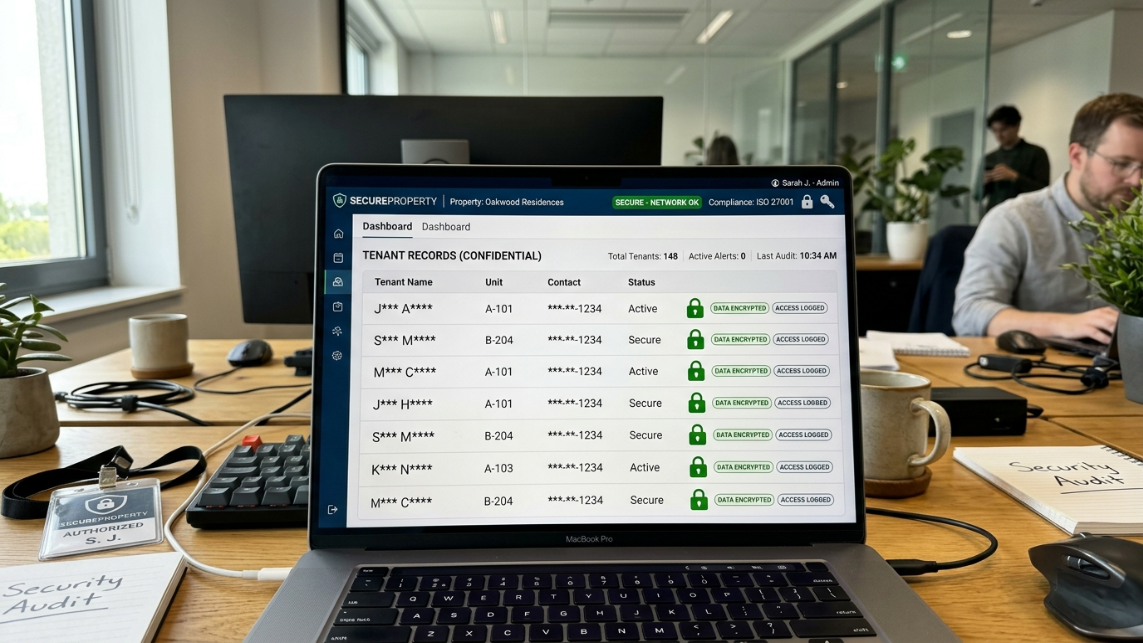
Tenant records frequently contain:
Names
Contact information
Lease agreements
Maintenance history
Payment records
Emergency contact details
Because AI agents may access these records, property managers should apply strict security controls.
Recommended Security Controls
Multi-factor authentication
OAuth-based integrations
Property-level permission restrictions
Audit trail monitoring
Quarterly permission reviews
Data encryption in transit and at rest
Proper permission management reduces the likelihood of unauthorized access and data exposure.
Fair Housing and Compliance Considerations
PMS permissions for AI carry direct legal implications, particularly around Fair Housing compliance.
In 2024, HUD issued specific guidance stating that the Fair Housing Act’s rules apply to tenant screening and the advertising of housing, including when artificial intelligence and algorithms are used. This means that if your AI agent has write access to screening decisions or applicant communications, any discriminatory outcome is your liability, regardless of whether a human reviewed it.
Permission architecture is a compliance tool. If an AI agent can reject applicants, modify screening criteria, or alter advertising targeting without human review, you’ve created a compliance exposure. The fix is structural: limit AI to read access for screening data and require human approval for any decisions that affect housing access.
Ensuring fair housing compliance means offering multiple communication channels, regularly auditing AI tools for potential bias, and training staff to override AI responses when necessary. For a comprehensive treatment of this topic, the AI and Fair Housing compliance glossary covers the full regulatory picture.
Data privacy is equally non-negotiable. According to research from Booking Ninjas, 62% of property managers using cloud-based AI tools report vulnerabilities in vendor security protocols. Property managers should demand SOC 2 Type II certification, encrypted data transmission, and documented audit trail capabilities from any AI vendor touching their PMS.
Checklist: Setting Up PMS Permissions for AI
Use this checklist during AI vendor onboarding to configure permissions correctly from day one.
Before Integration:
[ ] Request a written list of every PMS permission the AI vendor requires, with justification for each
[ ] Verify the vendor holds SOC 2 Type II certification or equivalent security credentials
[ ] Confirm the integration uses OAuth 2.0 or token-based authentication (not shared login credentials)
[ ] Determine whether the integration uses API access, user-level access, or both
[ ] Check if your PMS subscription tier supports the required API endpoints
During Setup:
[ ] Create a dedicated service account or custom role for the AI agent (do not reuse existing human user accounts)
[ ] Apply least privilege: grant only the specific read, create, and update permissions the AI requires
[ ] Scope permissions to the properties the AI will actually manage
[ ] Enable audit trail logging for all AI-initiated actions
[ ] Configure human-in-the-loop approval gates for high-risk actions (vendor dispatch above dollar thresholds, screening decisions, lease modifications)
[ ] Set the Permission-to-Enter field rules for AI-created work orders
After Launch:
[ ] Review audit logs weekly for the first month to verify the AI is operating within expected boundaries
[ ] Conduct quarterly permission reviews to remove any access the AI no longer needs
[ ] Document all credentials and API keys in a secure location with a clear revocation procedure
[ ] Test your offboarding process: confirm you can revoke AI access within one business day
[ ] Monitor for excessive agency patterns (the AI taking actions outside its defined scope)
According to Gartner research, only 15% of IT application leaders are currently considering or piloting fully autonomous AI agents. Most property managers are still in the early stages of configuring these systems, which makes getting permissions right from the start especially important.
Explore Haven’s AI agents to see how PMS permissions are handled during integration, with no system migration required.
Frequently Asked Questions
What PMS permissions does an AI agent typically need?
Most property management AI agents need Read access to property, tenant, and lease data, plus Create access for work orders, notes, and communication logs. Some also need limited Update access to change record statuses. Admin-level access is almost never appropriate for an AI agent.
Can I give an AI agent the same role as a human property manager?
You can, but you shouldn’t. Human roles often include permissions the AI doesn’t need, like access to financial reports or system settings. Creating a custom role with only the specific permissions the AI requires follows the least privilege principle and reduces your risk exposure.
What’s the difference between API access and user-level access for AI?
API access connects the AI through programmatic endpoints with defined data scopes. User-level access gives the AI the same interface and permissions as a human logging into the PMS. API access is generally more secure and easier to scope, but some PMS platforms have limited API functionality, which pushes vendors toward user-level access as a workaround.
How do PMS permissions for AI affect Fair Housing compliance?
If an AI agent has write access to screening decisions or applicant-facing communications without human review checkpoints, the property manager assumes legal liability for any discriminatory outcome. HUD’s 2024 guidance confirms the Fair Housing Act applies to AI-driven screening and advertising. Permission boundaries should enforce human approval for all decisions affecting housing access.
Should I grant my AI vendor President or Admin-level access?
No. While some vendors request this level because lower roles block certain features, the right approach is to identify exactly which capabilities require elevated access and create a custom role. If your PMS doesn’t support custom roles, work with the vendor to find the most restrictive existing role that still allows the integration to function.
How do I revoke AI access if I switch vendors?
Document every credential, API key, OAuth token, and user account created during integration setup. OAuth tokens can typically be revoked from your PMS admin panel without affecting other users. Disable the service account or custom role immediately upon termination. Test this revocation process before you need it.
What security certifications should an AI vendor have?
At minimum, look for SOC 2 Type II certification, which verifies that the vendor’s security controls have been independently audited over time. Also confirm encrypted data transmission (TLS 1.2 or higher), audit trail capabilities, and a documented data retention and deletion policy.
What is “excessive agency” and why should property managers care?
Excessive agency is when an AI agent takes actions beyond its intended scope because it determines those actions solve a problem more efficiently. In property management, this could mean an AI dispatching expensive vendors without approval or modifying records it was only supposed to read. Bounded permissions and human-in-the-loop controls are the primary defenses against this risk.
Can AI agents access tenant payment information?
Only if the PMS permissions explicitly allow access. Most AI implementations should limit access to financial information unless it is essential to the workflow.
What is the safest PMS permission model for AI?
The safest model combines role-based access control, least privilege, property-level restrictions, audit logging, and human approval checkpoints.
Should AI have access to lease documents?
Only when lease information is required for the AI's task. Read-only access is generally preferable to modification rights.
How often should PMS permissions be reviewed?
Security teams typically recommend quarterly reviews and immediate reviews whenever workflows or vendors change.