15 Common Maintenance AI Mistakes in 2026 (With Fixes)
Discover 15 Common Maintenance AI Mistakes in 2026—and how to fix them. Improve triage, cut after-hours costs, stay compliant. Get the playbook.

TL;DR
Most common maintenance AI mistakes come down to poor configuration, not bad technology. Over half of all work orders are submitted after hours, meaning triage quality at night is where AI wins or loses. The biggest pitfalls include auto-dispatching vendors without troubleshooting, missing PMS integrations, weak emergency logic, and ignoring compliance rules around AI voice and SMS. This guide covers 15 mistakes with concrete fixes, metrics, and practitioner-tested workarounds so you can deploy maintenance AI that actually reduces costs and risk.
At a Glance: What is the biggest mistake in Maintenance AI?
The most critical mistake is Auto-Dispatching without Troubleshooting. In 2026, failing to use AI for diagnostic triage results in "Ghost Dispatches" for simple fixes like tripped GFCIs or loose plugs.
The Data: With emergency labor rates averaging $170/hour, a single unvetted after-hours dispatch costs more than the monthly subscription of most AI tools. Successful operators prioritize a "Diagnostic-First" workflow that resolves roughly 23% of tickets at the intake stage.
The After-Hours Math Most Operators Miss
You don’t have a call-center problem. You have a decision problem.
On April 23, 2026, AppFolio’s CEO noted during the company’s Q1 earnings call that “over half of all work orders are submitted after hours” source. That single data point explains why maintenance AI adoption is accelerating, and why getting it wrong is so expensive. Emergency plumber rates average roughly $170 per hour nationally, with after-hours and weekend premiums commonly running 1.5 to 3 times the standard rate source. One bad triage call on a Saturday night, dispatching a plumber for a tripped GFCI outlet, can wipe out a full month of AI subscription costs.
The problem isn’t whether to use AI for maintenance. The problem is that common maintenance AI mistakes turn a cost-saving tool into a liability generator. Small configuration choices around emergency rules, vendor gating, PMS write-back, and consent create outsized swings in both cost and risk.
Add to that the compliance reality: the FCC clarified in February 2024 that AI-generated voices count as “artificial or prerecorded” under TCPA source, and HUD issued AI guidance under the Fair Housing Act in 2024 source. These aren’t theoretical concerns. They shape how your maintenance bot should (and shouldn’t) operate.
For a deeper look at how after-hours workflows should be structured, see this guide to after-hours maintenance AI for property managers.
What follows are 15 of the most common maintenance AI mistakes property managers make, with specific fixes, metrics, and real practitioner perspectives for each one.
At-a-Glance: Maintenance AI Mistakes, Impact, and Fixes
Mistake | Immediate Impact | Quick Fix | KPI to Watch | Compliance Flag |
|---|---|---|---|---|
1. Treating AI like an IVR | Delayed emergencies, liability | Emergency fast-path with 30-60s SLA to human | Time-to-human (P50/P90) | No |
2. Auto-dispatching without troubleshooting | Unnecessary emergency spend | Diagnostic-first flow for top 20 issues | Avoided truck rolls per 100 calls | No |
3. No PMS integration | Duplicates, missed follow-ups | Two-way PMS write-back for WO creation/updates | % calls with complete write-back | No |
4. Incomplete work orders to vendors | Go-backs, trip fees | Enforce WO completeness checklist at intake | Vendor one-trip completion rate | No |
5. Misclassifying emergencies | Property damage or tenant harm | Property-specific emergency definitions in AI | Emergency share after-hours | No |
6. English-only intake | Abandoned calls, tenant frustration | Spanish minimum; auto language detection | Non-English resolution rate | Yes (Fair Housing) |
7. No identity verification | Wrong-property dispatches | Caller lookup, challenge questions, OTP | Misrouted jobs per month | No |
8. Skipping TCPA/privacy consent | Legal exposure, fines | Consent records, opt-out handling, audit trails | Consent coverage % | Yes (TCPA, CCPA) |
9. Weak on-call routing | Unanswered emergencies | Tiered on-call rosters with timed rollover | Answer rate within 5 min | No |
10. Dispatching unvetted vendors | COI lapses, owner anger | Gate dispatch to credentialed preferred vendors | % dispatches to vetted vendors | No |
11. No post-repair follow-up | Unresolved issues persist | Automated resident follow-up and CSAT capture | Reopen rate within 30 days | No |
12. Measuring the wrong things | Hidden cost growth | Track avoided truck rolls, spend/unit, FCR | After-hours spend per unit | No |
1. Treating AI Like an IVR Instead of a Safety-Critical Triage Tool
What it looks like: The AI greets callers with a phone tree. Press 1 for maintenance. Press 2 for leasing. Press 3 for… by which point the resident with a gas leak has already hung up.
Why this happens: Teams bolt AI onto existing IVR infrastructure without rethinking the flow for urgency. The result is a system optimized for routing, not safety.
The fix:
Build an always-on emergency fast-path triggered by keywords like “gas,” “fire,” “flood,” and “blood”
Allow a 0-key or voice command to immediately reach an on-call human
Set a 30 to 60 second SLA from emergency trigger to live human connection
Publish the escalation logic so your team and residents both know how it works
Metric to track: Emergency “time-to-human” at P50 and P90; percentage of emergencies acknowledged within 30 minutes.
Practitioner note: Practitioners on Reddit consistently enforce a “fire, flood, blood” rule of thumb as the emergency definition, with an expectation that on-call staff respond within 30 minutes for true emergencies source. Read Laboratories also flags the absence of human escalation in AI call flows as a top-tier mistake source.
Do this next week: Add emergency keyword routing and a 0-key fast path to a live on-call line. Target sub-60-second connection time.
For a full breakdown of how emergency detection should work, read this emergency maintenance triage AI guide.
2. Auto-Dispatching Vendors Without Troubleshooting First
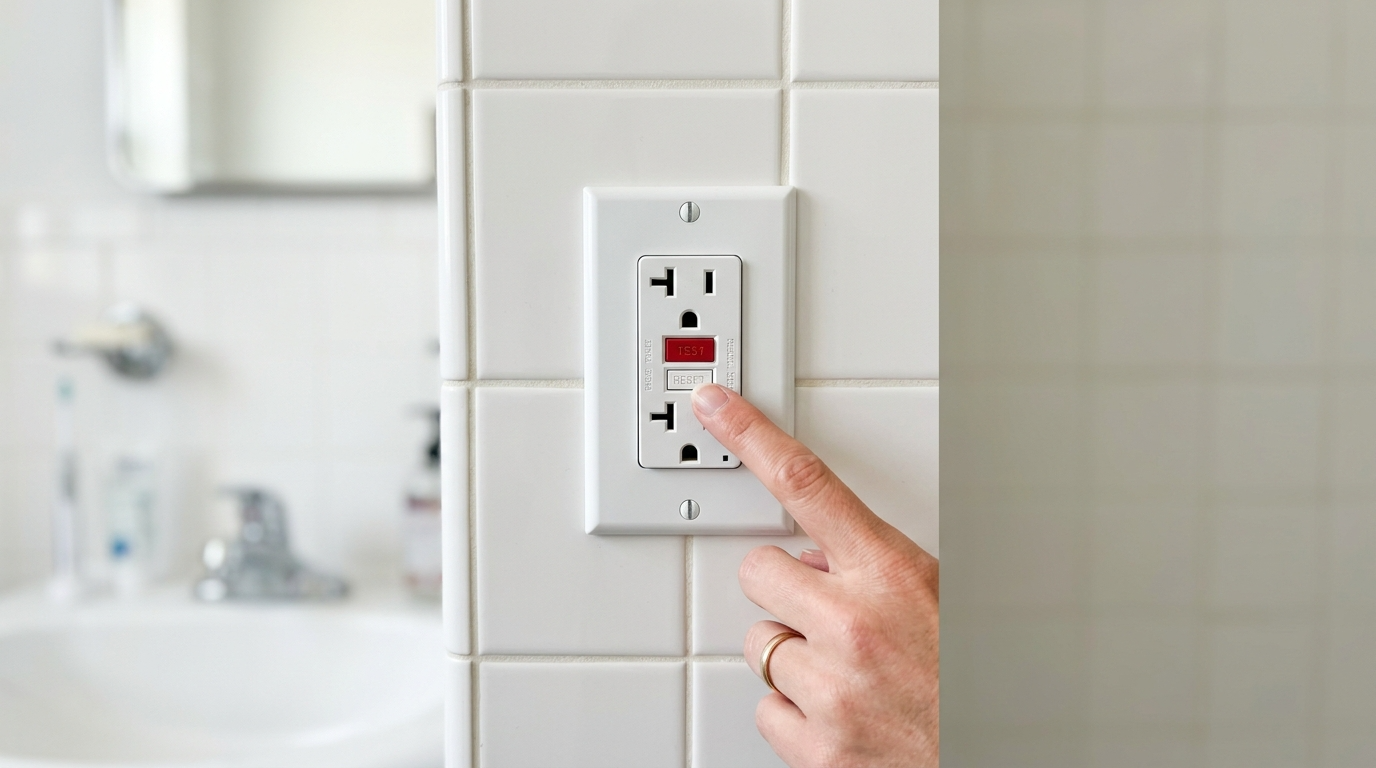
What it looks like: Every after-hours call triggers an immediate vendor dispatch. The AI functions as a ticket machine, not a decision engine.
Why this happens: Speed feels like the right goal. Nobody wants to be the company that left a tenant waiting. But “instant dispatch” for every call means you’re paying emergency premiums for tripped breakers, GFCI resets, and garbage disposals that just need to be toggled.
The fix:
Build a “diagnostic-first” flow for the top 20 maintenance issues
Collect photos and video from the resident before dispatch
Provide safe shutoff steps (water valve location, breaker panel instructions)
Only dispatch if the issue passes a severity threshold after troubleshooting
Metric to track: Avoided truck rolls per 100 after-hours calls; after-hours spend per unit; first-contact resolution rate.
Cost reality: Emergency plumber labor averages around $170/hour, and many charge 1.5 to 3 times that rate on nights, weekends, and holidays source. One needless dispatch can cost more than a month of AI fees. Latchel reports that roughly 23% of maintenance tickets can be resolved at intake through guided troubleshooting source, a directional benchmark that shows how much waste the diagnostic-first approach can cut.
Practitioner note: Read Laboratories calls this mistake out explicitly, noting that AI systems that dispatch without troubleshooting are among the most expensive errors in property management AI source.
Do this next week: Identify your 10 most common after-hours call types. Write a troubleshooting script for each that includes one photo prompt and one safe shutoff instruction.
This is one of the common maintenance AI mistakes that directly erodes ROI. For a side-by-side comparison of AI triage versus traditional call centers, see this maintenance AI vs. call center comparison. And if you want to see how diagnostic-first flows work in practice, Haven’s Maintenance AI runs emergency detection, guided troubleshooting, and PMS work order creation as a single integrated workflow.
3. Not Integrating With Your PMS
What it looks like: AI collects the call details, maybe emails a summary to your team, but doesn’t create or update work orders in AppFolio, Yardi, or Buildium. Your staff re-enters data manually the next morning.
Why this happens: Integration is harder than intake. Many AI tools stop at data capture because the PMS write-back requires field mapping, duplicate suppression, and ongoing QA.
The fix:
Require two-way PMS integration for ticket creation, updates, notes, and vendor assignments
Map all required fields before launch (unit, category, priority, access notes, photos)
Block dispatch until a valid work order ID exists in the PMS
Run weekly duplicate audits during the first 90 days
Metric to track: Percentage of AI-intake calls with complete PMS write-back; duplicate work orders per month.
Practitioner note: Read Laboratories highlights the “AppFolio gap,” where AI intake systems create data silos that fragment the maintenance workflow source. Property management teams on Reddit regularly complain about data wrangling and the lack of reliable maintenance cycle-time reporting when systems don’t talk to each other.
Do this next week: Audit your last 50 AI-generated tickets. Count how many required manual re-entry or created duplicates. That number is your integration gap.
If your portfolio runs on AppFolio, Haven’s AppFolio integration handles work order creation, notes, and assignments directly inside the PMS, without manual re-entry.
Feature | Importance | SEO Value / Key Term |
Bi-Directional Sync | High | Two-way PMS Write-back |
Unit-Level Specificity | Critical | Asset-based Triage |
Vendor Database Pull | High | Preferred Vendor Gating |
Resident Ledger Match | Medium | Identity Verification |
Attachment Injection | High | Photo/Video PMS Upload |
4. Letting Incomplete Work Orders Go to Vendors
What it looks like: The vendor receives a ticket that says “needs maintenance” with no photos, no access instructions, no pet information, no shutoff status, and no appliance details.
Why this happens: The AI captures the complaint but doesn’t ask the follow-up questions that make a work order actionable. It’s optimized for speed of ticket creation, not quality.
The fix:
Enforce a work order completeness checklist at intake:
Who reported the issue and where (unit, building)
Access window and permission to enter
Safety risk assessment
Photos or video of the issue
Troubleshooting already attempted
Brand, model, and serial number if relevant (appliances, HVAC)
Pet and alarm information
Metric to track: Vendor one-trip completion rate; average days to close; number of go-backs per month.
Evidence: Work order management best practices consistently emphasize that missing detail is the top cause of vendor rework and repeat trips source.
Do this next week: Add three mandatory fields to your AI intake flow: photo upload, access window, and “have you tried any troubleshooting?” This alone will cut go-backs.
5. Misclassifying Emergencies
What it looks like: The bot escalates a noisy fridge compressor as if it were a burst pipe. Or worse, it routes “no heat” in January to next-business-day.
Why this happens: The AI uses generic severity logic instead of property-specific emergency definitions. What counts as an emergency in Minneapolis in January is different from Phoenix in July.
The fix:
Embed a property-specific emergency policy directly into the AI
Treat active leaks, sewage backup, gas smell, complete power loss, and no heat (in cold climates) as emergencies
Route everything else to next-business-day by default
Use “fire, flood, blood” as a catch-all safety net
Publish the definitions in your resident guide and in the AI’s greeting
Metric to track: Emergency share of after-hours calls; property damage incidents per 1,000 units.
Practitioner note: The National Apartment Association provides sample emergency definitions that serve as a solid starting template. Multiple property management forums use “fire, flood, blood” as shorthand for what justifies a middle-of-the-night dispatch source.
Do this next week: Write your emergency definition list. Keep it to 6 to 8 specific scenarios. Load it into your AI and send it to your residents.
6. Ignoring Multilingual Intake and Accessibility
What it looks like: An English-only bot in a market where 30% or more of residents speak Spanish at home. Calls go unanswered, voicemails pile up, and minor issues escalate because they weren’t captured early.
Why this happens: Teams default to English because it’s simpler to build and test. Multilingual support feels like a “phase two” feature.
Why that’s a problem: According to U.S. Census American Community Survey data, roughly 22% of U.S. residents speak a language other than English at home, with Spanish being the most common source. In many rental markets, that number is significantly higher. An English-only system isn’t just inconvenient, it’s a capture-rate problem.
The fix:
Offer Spanish at minimum in voice and SMS channels
Use automatic language detection on first interaction
Provide SMS and email fallbacks with translated templates
Keep scripts simple, direct, and free of idioms
Metric to track: Non-English call resolution rate; abandonment rate by language.
Compliance note: HUD’s 2024 AI guidance under the Fair Housing Act warns that AI systems must avoid discriminatory effects source. A maintenance intake system that systematically fails non-English speakers could create fair housing risk, even unintentionally.
Do this next week: Check your after-hours call logs. If more than 10% of abandoned calls are from non-English speakers, multilingual support should move to the top of your priority list.
7. No Identity and Unit Verification
What it looks like: The AI creates a ticket from an unknown caller without verifying the unit. A vendor shows up at the wrong property. Or a non-resident generates a work order that clogs your queue.
Why this happens: Verification adds friction. Teams skip it to keep the experience smooth. But “smooth” doesn’t help when you dispatch a plumber to 412 Oak when the caller lives at 412 Elm.
The fix:
Match the caller’s phone number against your resident and vendor database
Use challenge questions (address, unit number, last four digits on file) for unmatched callers
Send a one-time passcode via SMS when identity is uncertain
Tag non-residents and block dispatch without verification
Metric to track: Percentage of work orders verified before dispatch; misrouted jobs per month.
Practitioner note: Property management forums report that duplicate and misrouted maintenance requests are a recurring headache when identity isn’t checked at intake source.
Do this next week: Turn on phone-number matching in your AI intake flow. It eliminates the majority of misroutes with zero added friction for known residents.
The 2026 Compliance Landscape for Maintenance AI
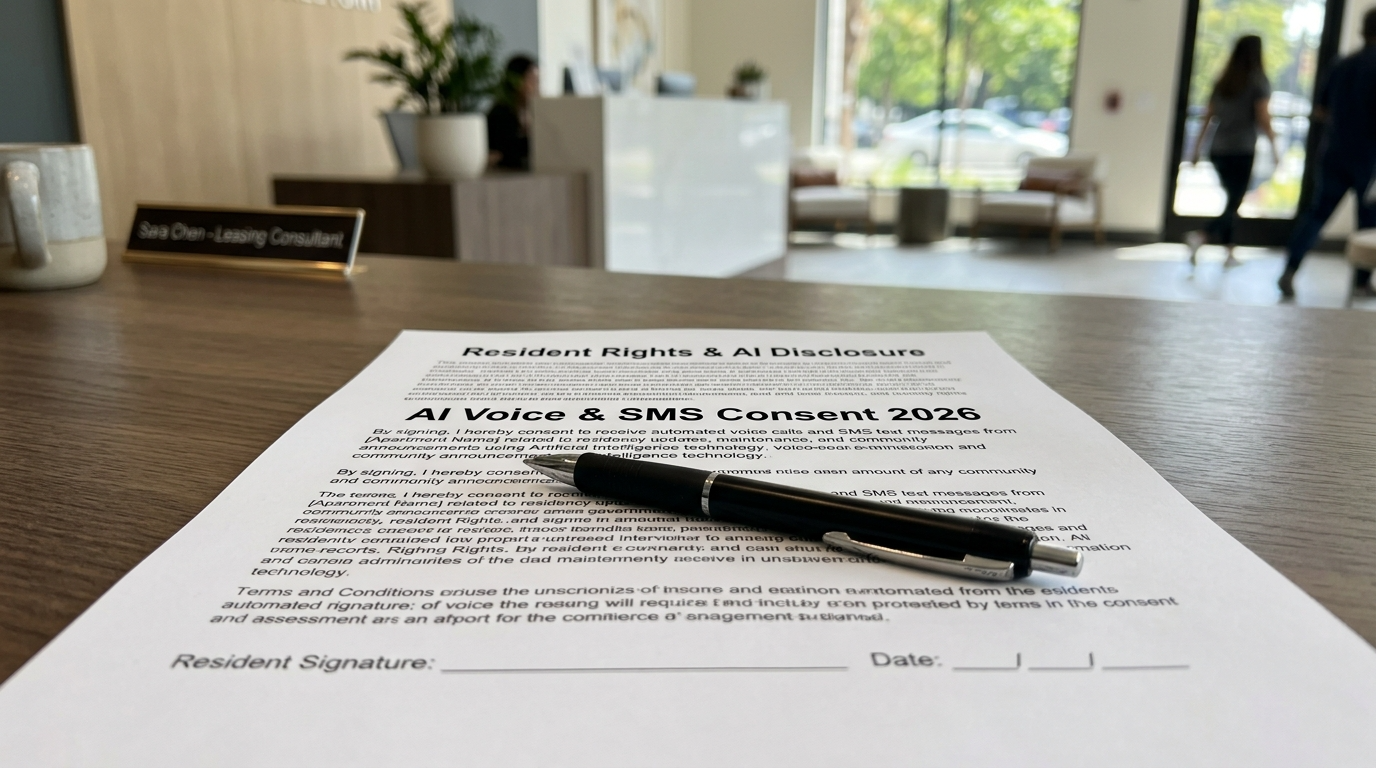
Maintenance AI is no longer a "wild west" technology. Regulatory bodies have established clear boundaries that dictate how bots must interact with residents.
TCPA (Telephone Consumer Protection Act): AI voices are legally classified as "prerecorded." You must have prior express written consent for outbound maintenance updates.
Fair Housing Act (FHA): AI logic must be audited to ensure it doesn't provide "lesser service" to protected classes (e.g., failing to support non-English speakers).
State Privacy Laws (CCPA/CPRA): Residents have the "Right to Know" that they are speaking to an AI and the right to request deletion of voice recordings.
8. Skipping Consent and Compliance for AI Voice and SMS
What it looks like: The AI makes outbound calls and sends text messages as if it were a human coordinator, with no consent records, no opt-out mechanism, and no privacy disclosure.
Why this matters now: In February 2024, the FCC clarified that AI-generated voices qualify as “artificial or prerecorded” under TCPA source. That means consent and revocation rules apply to your AI the same way they apply to robocalls. State privacy regimes, including CCPA/CPRA in California and Colorado’s CPA, add requirements around transparency and data rights.
The fix:
Maintain consent records for every resident and vendor contact
Include an opt-out mechanism on first text (“Reply STOP to unsubscribe”)
Honor “STOP” universally and immediately
Publish a privacy notice that covers AI communications
Minimize data sharing with third-party vendors
Log all transcripts and maintain audit trails
Compliance note: HUD’s 2024 guidance also flags that AI systems used in housing contexts must avoid discriminatory outcomes source. While the guidance focuses on tenant screening and advertising, the principle extends to any AI touchpoint in the resident experience.
Do this next week: Audit your current AI communication flow. Verify that every outbound text includes opt-out language and that every voice interaction states it’s an AI system.
For more on navigating compliance requirements, see this AI property management compliance and fair housing guide.
9. Weak On-Call Routing and Escalation Hygiene
What it looks like: A genuine emergency comes in at 2 AM. The AI texts the on-call tech. The tech doesn’t respond. Nothing else happens. The resident waits until morning.
Why this happens: Most AI setups have a single escalation path with no fallback. If the first contact doesn’t answer, the system has nowhere to go.
The fix:
Build tiered on-call rosters with automatic retries and timed escalation
Example: 2 calls within 5 minutes to Tech A, then roll to Tech B, then escalate to the portfolio manager
Define a “vendor of last resort” for each trade category and geographic zone
Test the escalation chain monthly
Metric to track: Answer rate within 5 minutes; total contact attempts per emergency before resolution.
Practitioner note: Practitioners on Reddit describe strict expectations around emergency response, typically a 30-minute window from first contact to either a response or arrival, with immediate escalation if the first person doesn’t answer source. Skepticism of “AI-only” after-hours setups is common in these discussions, precisely because of weak escalation paths source.
Do this next week: Document your current on-call roster with three tiers per trade. Set escalation timers at 5 and 10 minutes. Test it with a fake emergency call next week.
10. Dispatching Uninsured or Unvetted Vendors
What it looks like: The AI texts the first plumber in the system. That plumber’s certificate of insurance expired three months ago. No one noticed until an owner asked.
Why this happens: Vendor lists are static. COI tracking is manual. The AI dispatches from whatever list it has without checking credential status.
The fix:
Gate all dispatches to vendors with valid COIs, W-9s, and trade licenses
Auto-block vendors with expired credentials and notify your team
Maintain ranked lists per trade and geographic zone
Include vendor SLAs covering response time, CSAT, and price bands
Metric to track: Percentage of dispatches to fully vetted vendors; number of expired-COI dispatches caught per month.
Evidence: Property management compliance best practices emphasize that COI tracking and “preferred vendor” gating are essential safeguards against uninsured dispatch source.
Do this next week: Export your vendor list. Flag every vendor with a COI expiring in the next 60 days. Remove or pause any with lapsed credentials.
Haven’s Maintenance AI dispatches from your preferred vendor lists and runs post-completion follow-ups, keeping the loop closed from intake through resolution.
11. No Post-Repair Follow-Up Loop
What it looks like: The vendor marks the ticket complete. No one contacts the resident to confirm. Three weeks later, the same problem reappears, and the resident is furious.
Why this happens: Follow-up is the easiest step to skip. It doesn’t feel urgent. But skipping it means quality problems go undetected, repeat failures accumulate, and resident satisfaction erodes quietly.
The fix:
Send an automated follow-up to the resident after vendor completion (Was it fixed? Any remaining issues? Can you share a photo?)
Set vendor follow-through reminders if the resident reports the issue persists
Log NPS or CSAT on every closed work order
Flag repeat failures at the same unit within 30 days
Metric to track: CSAT per work order; reopen rate; repeat-failure rate within 30 days.
Do this next week: Set up a 24-hour automated text to residents after work order closure. Even a simple “Was your issue resolved? Reply YES or NO” will surface problems early.
For a detailed implementation guide, see this article on AI maintenance follow-up for tenants.
12. Not Measuring the Right Outcomes
What it looks like: The team celebrates “1,200 tickets handled by AI this month!” while after-hours vendor spend quietly climbs 20%.
Why this happens: Ticket volume is the easiest metric to pull. It’s also the least useful. Without measuring what the AI actually prevented or resolved, you’re flying blind.
The fix:
Track these KPIs instead:
Avoided truck rolls (tickets resolved at intake without dispatch)
After-hours spend per unit per month
Time-to-triage (submission to first action)
First-contact resolution rate
Emergency misclassification rate (false positives and false negatives)
SLA adherence by vendor
Benchmark direction: Operational platforms suggest normalizing metrics like maintenance requests per 100 units, average completion time, and resident satisfaction by property source.
Do this next week: Build a monthly dashboard with three numbers: avoided truck rolls, after-hours spend per unit, and emergency misclassification rate. If any of those are trending wrong, your AI configuration needs work.
For a full breakdown of which metrics actually predict ROI, read this maintenance AI ROI guide.
13. Overpromising What AI Can Do (and Removing Humans Entirely)
What it looks like: The property management company replaces its entire maintenance coordination team with AI. Edge cases pile up. Complex multi-trade issues stall. Residents can’t reach a human for anything.
Why this happens: The ROI math on full automation looks great on a spreadsheet. In practice, maintenance is messy. Water damage that requires both a plumber and a restoration company. A resident who is elderly and confused by the AI. An owner who insists on approving every dispatch over $200.
The fix:
Define clearly what the AI owns end-to-end versus when humans step in
Keep human-in-the-loop for multi-trade issues, owner-approval thresholds, and disputes
Announce to residents that they can always reach a human for emergencies or unresolved issues
Review AI-handled edge cases weekly during the first 90 days
Evidence: Multiple industry sources, including Latchel and Buildium, emphasize the importance of balancing AI capability with human judgment rather than treating AI as a full replacement source.
Do this next week: List the five most complex maintenance scenarios your team handled last quarter. For each one, determine whether AI could have handled it fully, partially, or not at all. That’s your human-in-the-loop map.
For more on structuring the coordinator role alongside AI, see this AI maintenance coordinator guide.
14. Not Tailoring Triage to Local Climate and Asset Type
What it looks like: The same AI script runs in Phoenix and Minneapolis. No heat in February is treated with the same priority as no heat in August. A high-rise with a central boiler system gets the same troubleshooting steps as a single-family home with a furnace.
Why this happens: Templates are easier to manage than customized logic. But maintenance emergencies are fundamentally local. What’s routine in one market can be life-threatening in another.
The fix:
Build seasonal rules into AI logic (no heat in winter is an emergency in cold climates; AC failure may be treated urgently in extreme heat markets)
Maintain property-specific equipment lists with shutoff instructions
Differentiate flows by asset type: single-family, garden-style multifamily, mid-rise, high-rise
Update triage logic at least twice per year (pre-winter and pre-summer)
Do this next week: Pull your emergency call log from last winter. Identify any misclassified tickets that should have been urgent based on weather conditions. Adjust your AI rules before next season.
15. Failing to Publish the Rules to Residents
What it looks like: Residents don’t know the AI exists, what it can handle, or what qualifies as an emergency. So they call at 11 PM because a cabinet hinge is loose, or they don’t call for a gas smell because they assume no one will answer.
Why this happens: The AI is configured on the operations side, but no one updates the resident-facing materials. There’s no “emergency vs. routine” explainer. The after-hours process is invisible.
The fix:
Create a one-page “Emergency vs. Routine” explainer
Include it in the move-in packet, tenant portal, and welcome email
List specific examples: “Gas smell = call now. Dripping faucet = submit online.”
Explain the after-hours process, including how the AI works and how to reach a human
Include basic safety instructions (where shutoff valves are, how to reset a breaker)
Practitioner note: Veteran property managers on Reddit report significantly fewer unnecessary after-hours calls when residents receive a clear “what counts as an emergency” guide at move-in source.
Do this next week: Draft a half-page emergency vs. routine guide. Send it to every current resident and add it to your onboarding packet. This is one of the simplest fixes that addresses multiple common maintenance AI mistakes at once.
Make It Stick: Your Implementation Playbook
Knowing the mistakes isn’t enough. Here are three practical tools to put these fixes into action.
Emergency Triage Decision Tree (Starter)
Build a decision tree for your top 20 maintenance call types. For each one, define:
Is this a safety risk? (Yes = emergency fast-path)
Can the resident safely troubleshoot? (Yes = guided steps with photo prompt)
Does this require a vendor tonight? (Yes = dispatch from preferred list)
Can it wait until next business day? (Yes = create a work order, set expectations)
Start with these categories: water leak, no hot water, no heat, no AC, electrical issue, gas smell, sewage backup, lockout, appliance failure, pest issue, noise complaint, broken window, garage door malfunction, smoke detector chirping, HVAC not cooling, toilet overflow, garbage disposal jam, tripped breaker, frozen pipe, and mold concern.
Work Order Completeness Checklist
Every AI-generated work order should include:
Resident name, phone, unit, and building
Issue description in the resident’s own words
Category and priority classification
Photos or video
Troubleshooting already attempted
Access instructions and permission to enter
Pet and alarm information
Appliance brand, model, and serial number (if relevant)
Shutoff status (water valve, breaker, gas valve)
On-Call Escalation Ladder Template
For each trade category (plumbing, HVAC, electrical, general):
Tier 1: Primary on-call tech, 2 contact attempts within 5 minutes
Tier 2: Backup tech, 2 contact attempts within 5 minutes
Tier 3: Portfolio or regional manager
Vendor of last resort: Pre-approved emergency contractor with current COI
Maximum time from first attempt to live human: 15 minutes
For a complete guide to designing maintenance AI workflows end to end, see this maintenance AI workflows guide for property managers.
Measure What Matters in Maintenance AI
If you take nothing else from this list, track these five KPIs monthly:
Avoided truck rolls, tickets resolved at intake without dispatch
After-hours spend per unit, your clearest cost signal
Time-to-triage, from submission to first meaningful action
Emergency misclassification rate, both false positives and false negatives
Vendor SLA adherence, response time and completion quality by trade
These numbers tell you whether your AI is a decision engine or just a ticket machine. Common maintenance AI mistakes hide in the gap between “tickets answered” and “outcomes improved.”
The operators who get the most from maintenance AI treat it like operations infrastructure, not a chatbot experiment. They configure triage logic, test escalation paths, verify PMS write-back accuracy, and review metrics weekly. The technology works. The configuration is where the mistakes happen.
If you want to see what a properly configured maintenance AI looks like, from emergency detection through vendor dispatch and resident follow-up, book a demo with Haven and hear the voice AI handle a real maintenance scenario.
FAQ
What are the most costly common maintenance AI mistakes?
Auto-dispatching vendors without troubleshooting is typically the most expensive single mistake. With emergency plumber rates averaging $170/hour and after-hours premiums of 1.5 to 3x, one unnecessary dispatch can cost $250 to $500. Multiply that across a portfolio of hundreds or thousands of units, and the waste adds up fast. Close behind are PMS integration failures (which cause rework and duplicates) and emergency misclassification (which causes either property damage or unnecessary spend).
How do I know if my maintenance AI is working?
Track avoided truck rolls, after-hours spend per unit, and emergency misclassification rate. If avoided truck rolls are increasing, after-hours spend is flat or declining, and emergencies are correctly classified 95%+ of the time, your AI is performing well. If tickets answered is going up but costs are too, you have a configuration problem.
Does TCPA apply to maintenance AI that makes calls or sends texts?
Yes. The FCC clarified in February 2024 that AI-generated voices are considered “artificial or prerecorded” under TCPA source. This means consent and opt-out requirements apply to AI voice calls and text messages the same way they apply to traditional robocalls. Maintain consent records, honor STOP requests immediately, and disclose that the caller is an AI system.
Should maintenance AI replace human coordinators entirely?
No. AI handles high-volume, pattern-matching work extremely well: intake, triage, troubleshooting, and follow-up for straightforward issues. But complex scenarios (multi-trade coordination, owner-approval workflows, resident disputes, and safety-ambiguous edge cases) still require human judgment. The best approach is defining clear boundaries for what AI handles end-to-end versus what gets routed to a coordinator.
What PMS integration features matter most for maintenance AI?
At minimum, the AI should create work orders in your PMS with all required fields, update notes and status as the ticket progresses, and assign vendors within the system. Two-way write-back is essential. If the AI can’t create a valid work order ID before dispatching a vendor, you’re creating data gaps that cause duplicates, missed follow-ups, and broken owner reporting.
How important is multilingual support in maintenance AI?
In most U.S. rental markets, it’s essential. About 22% of U.S. residents speak a language other than English at home source, and in many metro areas the number is much higher. An English-only AI system will produce higher abandonment rates, more voicemails, and more escalated issues from non-English-speaking residents. Spanish support should be a baseline, not an upgrade.
What compliance rules apply to AI in property management maintenance?
Two primary frameworks matter right now: TCPA for AI-generated voice calls and text messages (consent required, opt-out handling, disclosure), and HUD’s Fair Housing Act guidance for AI systems used in housing contexts source. State privacy laws (CCPA in California, Colorado’s CPA, and others) also require transparency about data collection and resident rights. Any maintenance AI implementation should include consent records, audit trails, and a published privacy notice.
How do I prevent my AI from dispatching unvetted vendors?
Gate every dispatch to vendors with current certificates of insurance, W-9s, and applicable trade licenses. Set your AI to auto-block vendors with expired credentials and alert your operations team. Maintain a ranked preferred vendor list per trade and geography, and include a pre-approved “vendor of last resort” for emergency situations when primary vendors are unavailable.