AI Escalation Rules Maintenance: 2026 PM Glossary & Guide
AI Escalation Rules Maintenance: A 2026 glossary for property managers—covering triggers, SLAs, costs, compliance, and upkeep. Learn to tune rules.

TL;DR
AI escalation rules are the predefined logic that determines when an AI maintenance system should hand off a request to a human. They trigger based on emergency keywords, cost thresholds, tenant sentiment, compliance risks, time limits, and AI confidence levels. Setting these rules up is only half the job. Maintaining them over time, through seasonal adjustments, vendor updates, and log audits, is what keeps the system accurate and safe.
Every property management company has escalation rules. They’re just usually stored in someone’s head. The on-call manager knows that a gas leak means an immediate phone call to the owner. The maintenance coordinator knows that anything over $3,000 needs approval before dispatching. The leasing agent knows that an angry tenant gets transferred to a supervisor, not put on hold.
The problem is that heads go on vacation. People quit. And at 2 a.m. on a Saturday, the person who “just knows” the rules isn’t answering their phone. About 65% of property management calls arrive outside standard business hours, which means the rules that matter most are the ones that need to work without a human remembering them.
That’s the purpose of AI escalation rules in maintenance. They codify tribal knowledge into consistent, automated logic that runs 24/7. This glossary breaks down every rule type, explains how to configure them, and covers the part most property managers overlook: keeping those rules accurate over time.
See how Haven’s AI agents handle maintenance escalation in practice.
AI escalation rules maintenance is the ongoing process of reviewing, testing, and updating the decision rules that determine when an AI maintenance system transfers requests to human staff. Property managers should review emergency keywords, vendor contacts, cost thresholds, SLA timers, compliance triggers, and AI confidence levels at least quarterly, while monitoring metrics such as false escalations, missed emergencies, and AI deflection rate to keep automation accurate and compliant.
Maintenance Task | Recommended Frequency | Why It Matters |
|---|---|---|
Emergency keyword review | Quarterly | Capture seasonal risks |
Vendor contact audit | Monthly | Prevent failed dispatches |
Cost threshold review | Annually | Match inflation and repair costs |
Escalation log audit | Monthly | Reduce false positives |
AI confidence tuning | Monthly | Improve classification accuracy |
Deflection rate review | Monthly | Balance automation and human review |
Compliance rule review | Quarterly | Reduce legal risk |
Escalation ladder verification | Quarterly | Ensure correct routing |
What Are AI Escalation Rules?
AI escalation rules are predefined conditions within an AI maintenance system that determine when, why, and how a request should transfer from automated handling to a human decision-maker. They sit at the center of the AI maintenance workflow: intake, triage, escalation or resolution, then dispatch.
Think of them as guardrails. The AI handles volume. The rules ensure humans handle judgment calls. As one industry framework puts it: “Every task has a state. Every state has rules. Every rule has escalation paths.”
Without escalation rules, an AI maintenance system is a liability. With properly calibrated rules, it becomes a force multiplier. A 500-unit case study found that proper AI triage dropped emergency response times by 45%, cut total maintenance costs by 18%, and boosted tenant satisfaction by 12 points.
The critical insight is that these rules aren’t static. They need ongoing maintenance just like the properties they serve. Vendors change. Seasons shift. Portfolios grow. A ruleset configured in March will misfire by December if nobody updates the winter-specific triggers. That ongoing upkeep is what “AI escalation rules maintenance” really means: not just building the rules, but keeping them sharp.
For a deeper look at how AI fits into the maintenance coordinator role, read this AI maintenance coordinator guide.
Where AI Escalation Rules Fit in the Maintenance Workflow
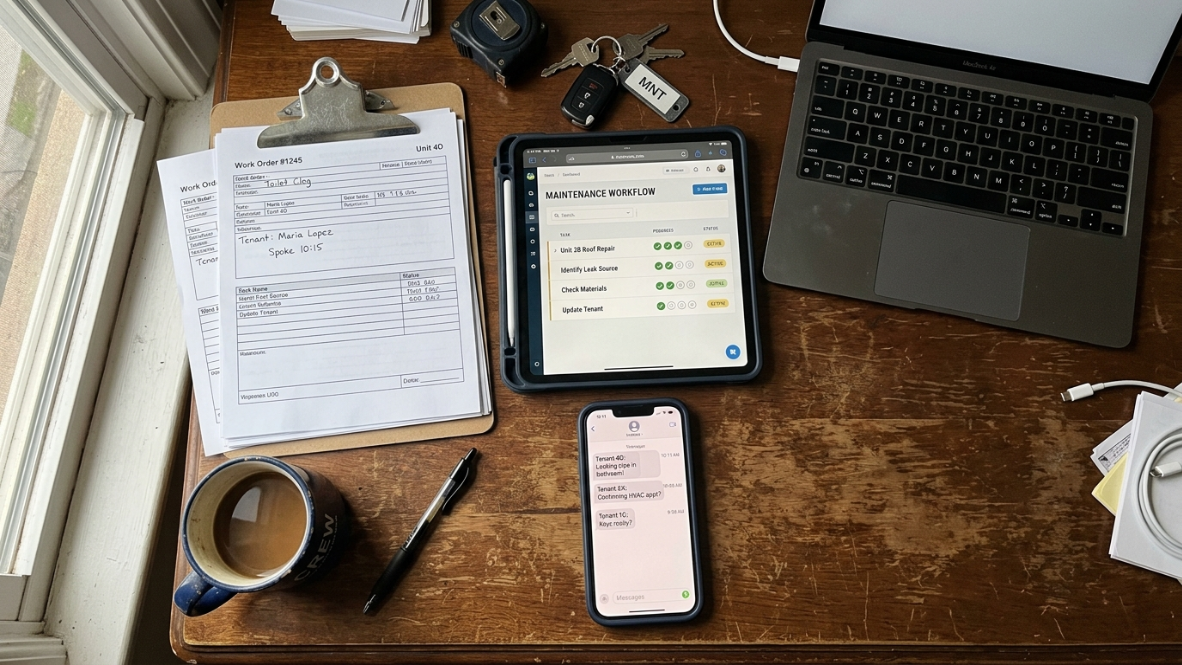
Most AI maintenance systems follow a predictable workflow before a technician is dispatched.
Tenant submits a maintenance request.
AI categorizes the issue.
AI assigns urgency.
Escalation rules evaluate the request.
Human approval is requested if required.
Vendor dispatch begins.
Resolution is tracked.
Follow-up is sent automatically.
Escalation rules are not the first step—they are the decision engine that determines whether automation continues or a human takes over.
AI Escalation Rules vs AI Workflows vs AI Automations
Many people confuse these three concepts.
Term | Purpose | Example |
|---|---|---|
AI Workflow | Complete maintenance process | Request → Triage → Dispatch |
AI Automation | Performs repetitive tasks | Scheduling vendors |
AI Escalation Rule | Decides when humans intervene | Gas leak → Call manager |
This clarification helps property managers understand that escalation rules are one component of a broader AI workflow.
Types of AI Escalation Rules
This is the core glossary. Each entry includes a definition, a practical example, and a note on why it matters for property management operations.
1. Emergency Keyword Triggers
Definition: The most fundamental escalation rule type. The AI scans tenant-submitted text or transcribed voice input for safety-critical words and phrases that demand immediate human attention.
Example keywords: “burst pipe,” “gas leak,” “no heat,” “fire,” “flooding,” “smoke,” “electrical sparking.”
How it works: When a tenant texts “I smell gas in my apartment,” the AI pattern-matches “smell gas” against its emergency keyword list and immediately routes the request to the on-call manager or emergency line. No scheduling, no troubleshooting prompts, just instant escalation.
Why it matters: Emergency keyword detection is the non-negotiable baseline. Every AI maintenance system needs this rule active before anything else goes live. A missed gas leak or undetected flood doesn’t just cost money; it creates legal exposure and puts people at risk.
For a full breakdown of how emergency detection works, see the emergency maintenance triage guide.
2. Urgency Scoring and Severity Matrix
Definition: The AI assigns a numeric or tiered priority level to each maintenance request based on safety risk, potential for property damage, and livability impact.
Common tiers:
Emergency (immediate escalation to a human, vendor dispatched within minutes)
Urgent (next-day scheduling, flagged for review)
Routine (scheduled maintenance, may include self-help troubleshooting)
Example: A tenant reports “my kitchen faucet drips when I turn it off.” The AI classifies this as Routine. A different tenant reports “water is coming through my ceiling.” The AI classifies this as Emergency and escalates.
Why it matters: The three-tier model is industry standard. It gives the AI a structured framework for every request and ensures that the 900 to 1,500 maintenance requests a typical 300-door property receives each year don’t all get treated with the same urgency.
3. Sentiment-Based Escalation
Definition: When the AI detects emotional distress, frustration, or anger in a tenant’s communication, it routes the conversation to a human regardless of the technical severity of the issue.
Example: A tenant’s message reads: “This is the THIRD time I’ve reported this. Nobody cares. I’m done.” The underlying issue might be a routine repair, but the sentiment signals a relationship at risk. The AI flags it for the property manager.
How it works in practice: Advanced systems offer topic-based routing (maintenance, payment, complaint) combined with sentiment overrides. An angry resident goes to the property manager. A threatening message goes to management or legal.
Why it matters: A dripping faucet is a routine repair. A dripping faucet reported by a furious tenant who has called three times is a retention problem. Sentiment-based routing catches the difference. As one implementation guide puts it: “If a tenant is upset, a human picks up.”
4. SLA-Based Auto-Escalation
Definition: Time-threshold rules that automatically escalate a request if it isn’t acknowledged or acted on within a configurable window.
Example: A high-priority work order is created at 11 p.m. If the assigned technician doesn’t acknowledge it within 30 minutes, the system automatically escalates to a backup technician. If the backup doesn’t respond in another 30 minutes, it goes to the property manager.
Typical thresholds:
Emergency: 15 to 30 minutes
Urgent: 2 to 4 hours
Routine: 24 to 48 hours
Why it matters: SLA-based escalation prevents requests from falling through the cracks, especially after-hours maintenance situations. Without time-based triggers, an unacknowledged emergency at midnight might sit untouched until morning.
5. Cost-Threshold Escalation
Definition: Any repair estimated to exceed a predefined dollar amount triggers escalation to a property manager, owner, or both for approval before work proceeds.
Example: The AI triages a request and determines the likely repair is an HVAC compressor replacement estimated at $4,500. Because the property’s cost threshold is set at $2,500, the system pauses automated vendor dispatch and notifies the property owner for approval.
Why it matters: This is one of the most overlooked escalation rule types. Most content about AI maintenance focuses on emergency keywords, but cost-threshold rules protect the financial relationship between managers and owners. As one practitioner put it: “A $5,000 roof repair needs a human conversation with the owner.” Not everything should be automated.
6. Compliance and Legal Escalation
Definition: Any tenant communication that mentions habitability claims, legal threats, discrimination allegations, or Fair Housing concerns is immediately routed to the property manager or legal counsel.
Example triggers: “I’m calling my lawyer,” “this is a habitability violation,” “I’m being discriminated against,” “I’m reporting this to the city.”
Why it matters: AI systems must be configured to recognize when a conversation has crossed from maintenance into legal territory. Human-in-the-loop escalation is a critical safety feature that helps ensure Fair Housing compliance and brings a person into the conversation when situations are too sensitive for automation.
7. AI Confidence Threshold
Definition: When the AI cannot classify a request with sufficient certainty, it flags the request for human review rather than guessing.
Example: A tenant submits a photo with the message “something weird is happening with my wall.” The AI can’t determine if this is a cosmetic issue, water damage, or structural problem. Its confidence score falls below the configured threshold (typically 70 to 85%), so it escalates to a maintenance coordinator for manual triage.
Why it matters: This rule prevents the AI from making bad calls on ambiguous requests. The AI flags anything it’s not confident about, which is the right design. Overconfident AI that misclassifies a water intrusion as a cosmetic issue creates real liability.
8. Vendor Failover Rules
Definition: Automated escalation between vendors when the primary assigned vendor doesn’t respond within the expected window.
Example: The AI dispatches a plumbing emergency to Vendor A (the preferred plumber). After 20 minutes without a response, the system automatically contacts Vendor B. If Vendor B also fails to respond, the system escalates to the property manager for manual intervention.
Best practice: Maintain at least two vetted vendors for each major trade (plumbing, HVAC, electrical, appliances, pest control) to ensure availability. Without backup vendors configured, failover rules have nowhere to route.
Why it matters: Vendor responsiveness is unpredictable. Failover rules remove the bottleneck of waiting for a single vendor, especially during nights, weekends, and holidays.
9. Escalation Ladder
Definition: The ordered chain of contacts the system follows when escalating a request. This ladder is configured per property or portfolio and defines who gets notified, in what order, and through which channel.
Typical ladder: Assigned technician → backup technician → on-site manager → property manager → regional manager → corporate operations.
Example: For a 200-unit multifamily property, the escalation ladder for an after-hours emergency might be: on-call maintenance tech (phone call) → property manager (SMS + phone) → regional director (phone). For a scattered-site single-family portfolio, the ladder might skip the tech step entirely and go straight to the property manager.
Why it matters: Many portfolio operators have different on-call rotations per property, and the routing rules traditionally live in someone’s head. AI escalation rules maintenance means codifying those ladders so they work consistently, even when staff turns over. One implementation guide recommends starting with a “discovery and design” phase that maps escalation ladders per property type before configuring anything.
10. Human-in-the-Loop
Definition: The design principle behind all escalation rules. AI handles the high-volume, routine work. Humans handle the judgment calls, edge cases, and sensitive situations.
How it works: This isn’t a single rule but the philosophy that shapes every rule in the system. The AI’s job is triage, not replacement. One common framing: “This is not automation replacing judgment. It’s triage that ensures emergencies reach the right human faster than any manual process could.”
Why it matters: The goal of AI escalation rules maintenance isn’t to eliminate human involvement. It’s to make sure human attention goes where it’s needed most. A well-configured system means the property manager spends time on the $5,000 roof decision instead of the leaky faucet that a tenant could fix with a YouTube video.
Want to see how AI and human roles work together? Read about common maintenance AI mistakes teams make when balancing automation and oversight.
11. Deflection Rate
Definition: The percentage of maintenance requests the AI resolves without any human involvement. This is the primary metric for determining whether escalation rules are properly calibrated.
Benchmarks: One property management chatbot implementation set a goal of handling 70% of tenant queries without human involvement. Another company reported that a well-configured AI reduced after-hours interruptions by 78%, with only about 10% of weekend calls escalated to a human.
Why it matters: Deflection rate is the feedback loop. If it’s too low, the AI is escalating too aggressively and your team is drowning in requests that didn’t need them. If it’s too high, the AI might be handling situations that should have been escalated. Tracking deflection rate monthly tells you whether your rules need recalibration.
For more on post-resolution communication, see this guide on AI maintenance follow-up.
How to Set Up AI Escalation Rules

Configuration isn’t something that happens on day one. Practitioners who’ve implemented these systems consistently recommend building intake and dispatch workflows first, then layering escalation rules on top once the foundation is stable. One practical rollout timeline suggests adding escalation rules around weeks five and six of implementation, after intake AI and vendor dispatch for top categories (plumbing, HVAC, electrical, appliances, pest) are already running.
Here’s the setup process:
Step 1: Document your existing rules. Before configuring anything in software, write down the escalation logic that currently lives in people’s heads. Who gets called for what? At what dollar amount does the owner want to be notified? What constitutes an emergency at each property? One implementation guide specifically recommends: “Document current escalation rules so AI routing matches existing policy.”
Step 2: Map escalation ladders per property type. A 500-unit multifamily complex has different on-call rotations than a scattered-site single-family portfolio. Configure each ladder separately.
Step 3: Set your thresholds. This includes emergency keyword lists, SLA time windows, cost-approval limits, and AI confidence cutoffs. Be specific. “Urgent” isn’t a threshold. “No response within 30 minutes for Priority 1 requests” is.
Step 4: Run shadow mode. Before going live, let the AI listen and draft responses while humans remain in control. One 4-week rollout plan dedicates an entire week to QA and shadow mode: “AI listens and drafts; humans lead. Iterate prompts, thresholds, and scripts.” This is where you catch misclassifications before they matter.
Step 5: Go live and monitor. Track deflection rate, false escalation rate, and missed escalation rate from day one. These metrics tell you whether your rules need adjustment.
For more on AI and PMS error handling during configuration, that glossary covers the technical side.
Maintaining Escalation Rules Over Time
This is the part almost nobody talks about. Setting up escalation rules is a project. Maintaining them is an ongoing operation. A static ruleset degrades, slowly at first and then all at once when a winter emergency hits and the system still has summer-season logic active.
Seasonal Adjustments
“No heat in winter” is the classic emergency keyword example, but think about what that means for your rules. In October, you need to activate heating-related emergency triggers. In May, those become lower priority while AC-related triggers move up. Frozen pipes need different urgency scoring in January than a toilet that runs in July. Review and adjust keyword lists and severity matrices at least quarterly, ideally at each seasonal transition.
Vendor List Updates
Vendors come and go. A preferred plumber retires. A new HVAC company joins your approved list. An electrician loses their license. If your vendor failover rules still point to a company that closed six months ago, the system will waste critical minutes trying to reach someone who will never answer. Update vendor lists immediately when changes happen, and audit the full list quarterly.
Threshold Recalibration
Inflation affects cost thresholds. A $2,500 approval limit set in 2023 might be too low by 2026, causing unnecessary escalations for repairs that used to fall under the threshold. Portfolio growth also changes the math. More units means more requests, which might require adjusting SLA time windows or adding more layers to the escalation ladder.
Escalation Log Audits
Pull your escalation logs monthly. Look for patterns. Are certain request types being escalated too often? That suggests the AI needs better training data or the keyword list needs refinement. Are some properties generating more false escalations than others? Maybe the rules for that property type need adjustment.
As one practitioner on Substack noted: “You can’t ‘AI’ your way out of bad maintenance data. But you can use AI to capture better maintenance data at the moment tenants report issues, then use rules and integrations to turn that data into fast scheduling.” This captures the cycle: better data in, better rules out. For more on this, see the guide on AI data quality for PMS.
Monthly Deflection Rate Review
If your deflection rate drops, your rules need tuning. Maybe a new type of request is coming in that the system doesn’t know how to handle. Maybe a seasonal shift changed the mix of emergencies. Track the number monthly and investigate any significant changes.
Key Metrics to Monitor
Successful AI maintenance programs monitor more than response times.
Track:
KPI | Good Target |
|---|---|
False Escalation Rate | <10% |
Missed Emergency Rate | Near 0% |
AI Confidence Average | >85% |
Deflection Rate | 60–80% |
Average First Response Time | <30 minutes (Emergency) |
Vendor Acceptance Rate | >90% |
Escalation Resolution Time | Continuously decreasing |
This gives managers measurable indicators for improving automation over time.
Common Mistakes with AI Escalation Rules
Rules too loose (everything escalates). If the AI sends 80% of requests to a human, you’ve built an expensive notification system, not an automation tool. Staff get overwhelmed, response times don’t improve, and the ROI disappears. Tighten keyword lists, raise confidence thresholds, and let the AI handle more routine work.
Rules too tight (nothing escalates). The opposite problem. If the AI resolves nearly everything autonomously, it’s almost certainly handling situations that need human judgment. A missed emergency or a botched compliance situation can create legal liability that dwarfs any operational savings.
Ignoring seasonal triggers. A heating emergency in February and a heating request in August are not the same thing. Systems that don’t adjust seasonally will either miss real emergencies or over-escalate non-urgent requests.
Skipping compliance escalation paths. Some teams configure emergency and cost-threshold rules but forget about legal and Fair Housing triggers. Any mention of discrimination, habitability violations, or attorney involvement needs immediate human routing. There’s no acceptable margin of error here.
Never reviewing the rules after setup. The fastest ROI from AI maintenance comes from reducing rework, speeding up first response, and avoiding emergency mis-triage. But those gains erode if the rules aren’t maintained. Treat rule maintenance like property maintenance: scheduled, recurring, and documented.
The ROI of Getting Escalation Rules Right
The numbers tell the story. AI usage in property management rose from 21% in 2024 to 34% in 2025, with another 29% planning to adopt. Companies that implement well-calibrated AI escalation rules see measurable results:
Average response time drops from 4.6 days to under 18 hours within 30 days of implementation
AI triage platforms report roughly 25% faster response times across the board
Containing just 20% of routine issues through guided troubleshooting can avoid approximately $15,000 per month in unnecessary vendor dispatches (based on a 500-call-per-month scenario)
Maintenance typically represents 25 to 35% of a property’s total operating budget. Even modest improvements in triage accuracy and response speed compound into significant savings across a portfolio.
The value of AI escalation rules maintenance isn’t just operational efficiency. It’s that the system enforces structure. Workflows improve not because the AI is “smart,” but because it applies the same logic every time, at every hour, for every property. The rules become the operating standard, not the individual who happens to be on call.
Explore Haven’s Maintenance AI to see how escalation rules work inside a purpose-built property management AI system.
Checklist for Reviewing AI Escalation Rules
Use this checklist during monthly system reviews.
Verify emergency keyword lists.
Confirm vendor phone numbers.
Review seasonal escalation priorities.
Audit owner approval thresholds.
Test SLA timers.
Check AI confidence thresholds.
Review legal and Fair Housing triggers.
Test backup vendor routing.
Audit escalation logs.
Compare KPI trends against previous months.
Common Signs Your Escalation Rules Need Updating
Your AI rules may require maintenance if you notice:
Increasing tenant complaints
Growing after-hours call volume
More false emergency alerts
Vendors missing dispatches
Rising maintenance costs
Falling AI deflection rate
Staff overriding AI recommendations frequently
Compliance incidents increasing
These warning signs usually indicate rule drift rather than AI failure.
Frequently Asked Questions
What happens if the AI misclassifies an emergency?
This is why confidence thresholds and human-in-the-loop design exist. If the AI isn’t sure about a classification, it should escalate to a human rather than guess. Additionally, SLA-based auto-escalation acts as a safety net: even if a request is misclassified as routine, time-threshold rules will escalate it if nobody responds within the configured window. Regular log audits help identify misclassification patterns so you can update keyword lists and training data.
How often should escalation rules be reviewed?
At minimum, quarterly, aligned with seasonal transitions. Vendor lists should be updated immediately whenever a change occurs. Cost thresholds and SLA windows should be reviewed annually or when the portfolio changes significantly. Deflection rate and escalation logs should be checked monthly. The goal is to catch drift before it causes a problem.
Can escalation rules differ by property?
Yes, and they should. A 300-unit multifamily complex has different emergency profiles, vendor networks, and on-call rotations than a portfolio of scattered-site single-family rentals. Escalation ladders, cost thresholds, and even keyword lists may need property-level or property-type-level configuration. AI systems designed for property management typically support this granularity.
Do escalation rules affect Fair Housing compliance?
Absolutely. AI escalation rules must be designed to ensure consistent treatment of all tenants. Any request involving habitability claims, discrimination allegations, or legal threats needs immediate human routing. The rules themselves should be applied uniformly, without variation based on tenant demographics. This is one of the strongest arguments for AI over manual triage: properly configured rules apply the same standard every time.
When should escalation rules be added during implementation?
Not on day one. Practitioners recommend building the intake and triage system first, stabilizing vendor dispatch for top maintenance categories, and then adding escalation rules once the foundation is working. A typical timeline puts escalation rule configuration around weeks five and six of a six-week rollout.
What’s a good deflection rate target?
Most implementations target 60 to 80% of requests resolved without human involvement. One company achieved a 78% reduction in after-hours interruptions with only 10% of weekend calls reaching a human. The right number depends on your portfolio, your risk tolerance, and the complexity of your typical maintenance requests. Start conservative (more escalation) and gradually tighten as you build confidence in the system.
Is there a difference between escalation rules and triage?
Triage is the broader process of classifying and prioritizing incoming requests. Escalation rules are the specific logic within triage that determines when a request leaves the AI and goes to a human. All escalation involves triage, but not all triage results in escalation. Most requests should be triaged, classified, and handled by the AI. Only the exceptions, as defined by your rules, should escalate.
AI escalation rules maintenance is not a set-it-and-forget-it task. The rules that protect your tenants, your properties, and your team need the same ongoing attention you give to the physical buildings in your portfolio. Build them carefully. Test them in shadow mode. Review them regularly. And when in doubt, escalate to a human. That’s the whole point.
Book a demo with Haven to see how AI maintenance agents handle escalation for property management teams.